Avatar Load Settle
From syxUI — written for both platforms, not translated between them.
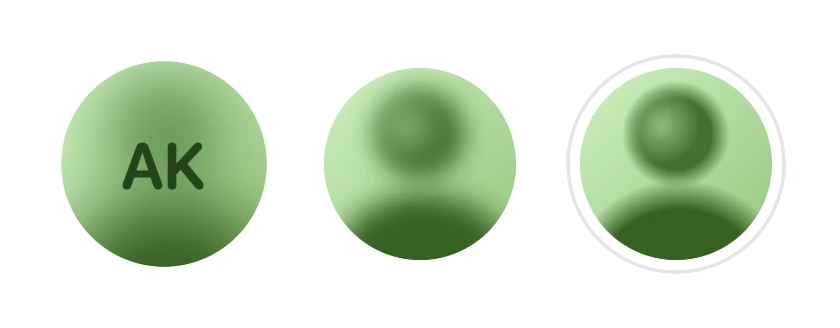
An avatar that resolves from a blurred placeholder — blur clearing, scale settling, hairline ring arriving last.
Avatars · SwiftUI · Flutter · iOS 17 · Flutter 3.27
- avatar
- image
- loading
- blur-up
- settle
- spring
- animated
The actual source
// Avatar Load Settle · syxUI · https://syxui.dev/components/avatar-load-settle
// Free in any project. Keep this line and credit syxUI where a person can read it.

import SwiftUI

/// An avatar that resolves from a blurred placeholder instead of snapping in.
///
/// Four tracks over one 0.62 s drive, deliberately none of them aligned:
///
/// - **Blur** clears from `blurAmount × size` to nothing across the first 70%.
/// - **Scale** falls 1.07 → 1.0 through a spring-shaped landing that
///   *undershoots* to about 0.993 a sixth of the way in and comes back. The
///   undershoot is the whole effect. A plain ramp to 1.0 reads as a picture
///   appearing; the dip reads as one arriving with weight behind it.
/// - **Initials** leave over the first 0.18 s — long before the face is sharp,
///   because two legible things in one circle is a double exposure.
/// - **The hairline ring** wipes in by `trim` over the last 0.2 s. A ring that
///   arrives after everything else has stopped is what makes the whole thing
///   read as *settled* rather than merely revealed.
///
/// Every value in a frame is a closed-form function of one number. That is what
/// lets the catalog pin it to a frame, lets a reader scrub it, and lets an
/// image loader drive it straight from its own completion fraction. It also
/// means there is not one `.animation(_:value:)` in this file, so there is
/// nothing for a second one to race.
struct AvatarLoadSettle: View {
    /// Diameter of the face. Everything that should track the avatar — the
    /// blur, the gap, the ring, the shapes inside the placeholder — is a
    /// fraction of this, so a 32 pt list row gets the same drawing as a 160 pt
    /// profile instead of a fixed blur that erases one and tickles the other.
    var size: CGFloat = 96
    /// Drives both the initials and the placeholder's hue, hashed. Nothing is
    /// stored, nothing is fetched and no asset ships.
    var name: String = "Ava Kim"
    /// Initials type size, in points.
    ///
    /// A `Font` cannot be a control, so this has to be a number rather than a
    /// fraction of `size` — and 30 pt of initials inside a 32 pt avatar would
    /// be a mess. It is therefore read as a **ceiling**: the type is
    /// `min(fontSize, size * 0.42)`, which is exactly 30 at the default size
    /// and 13 in a list row.
    var fontSize: CGFloat = 30
    /// Starting blur, as a fraction of `size`. 0.17 is 16 pt on a 96 pt face:
    /// soft enough to be unmistakably a placeholder, open enough that the
    /// initials laid over it still read as letters.
    var blurAmount: Double = 0.17
    /// Share of the drive the scale's landing spans. Hoisted out of the
    /// shaping function because a number written inline there could not be
    /// read or replaced. Lower lands sooner and harder.
    var settleResponse: Double = 0.52
    /// The hairline ring that arrives last.
    var ring: Color = Color(red: 0.894, green: 0.894, blue: 0.914)
    /// Seconds for one load. Long enough for four tracks to be out of step,
    /// short enough that nobody waits for it.
    var duration: Double = 0.62
    /// External drive: 0 = nothing loaded, 1 = settled.
    ///
    /// The preview renderer pins frames with it — and so can production code,
    /// straight from an image loader's completion fraction. When it is set the
    /// component does not run a clock of its own.
    var progress: Double? = nil

    @Environment(\.accessibilityReduceMotion) private var reduceMotion

    /// When the load in flight began. `nil` means settled, and a settled
    /// avatar has no clock, no blur layer and nothing to redraw — which is the
    /// point of keeping the drive one-shot rather than a loop.
    @State private var startedAt: Date? = nil
    /// Bumped by a tap. `.task(id:)` cancels the run in flight and starts a
    /// fresh one, which is what makes a tap mid-load restart from zero instead
    /// of queueing a second load behind the first. A half-loaded image
    /// resuming from half is a bug dressed up as a nicety.
    @State private var attempt = 0

    var body: some View {
        Group {
            if let progress {
                frame(at: progress)
            } else if let startedAt, !reduceMotion {
                // One display-linked clock, alive only while a load is. Every
                // curve below is analytic, so there is nothing for SwiftUI to
                // interpolate and nothing a pinned `progress` cannot reproduce
                // exactly.
                TimelineView(.animation) { timeline in
                    frame(at: AvatarLoadSettle.elapsed(timeline.date, from: startedAt, over: duration))
                }
            } else {
                // Settled. Reduce Motion lands here too: the rest state of a
                // load is loaded and sharp, not a frozen midpoint.
                frame(at: 1)
            }
        }
        .contentShape(Circle())
        .onTapGesture { attempt += 1 }
        .task(id: attempt) { await run() }
        .accessibilityElement(children: .ignore)
        .accessibilityAddTraits(.isButton)
        .accessibilityLabel(Text("\(name), photo"))
        // Deliberately two values and not sixty a second. `startedAt` is the
        // state the announcement reads and it changes exactly twice per load,
        // so a screen reader hears "loading" and then "loaded" rather than a
        // number racing past it.
        .accessibilityValue(Text(isLoading ? "loading" : "loaded"))
        .accessibilityHint(Text("Loads the picture again"))
    }

    /* ---------------------------------------------------------------- drive */

    /// The one-shot clock.
    ///
    /// `.task(id:)` is doing the retargeting here: raising `attempt` cancels
    /// this run and starts another, so the next `startedAt` is a fresh `Date`
    /// and the drive genuinely begins at zero.
    @MainActor
    private func run() async {
        guard progress == nil, !reduceMotion else { return }
        startedAt = Date()
        try? await Task.sleep(for: .seconds(max(duration, 0.05)))
        // A cancelled sleep means a tap has already replaced this run.
        // Clearing `startedAt` here would settle the load that just started.
        guard !Task.isCancelled else { return }
        startedAt = nil
    }

    private var isLoading: Bool {
        if let progress { return progress < 1 }
        return startedAt != nil
    }

    private static func elapsed(_ now: Date, from start: Date, over duration: Double) -> Double {
        let span = max(duration, 0.05)
        return min(max(now.timeIntervalSince(start) / span, 0), 1)
    }

    /* ---------------------------------------------------------------- frame */

    private func frame(at t: Double) -> some View {
        let drive = AvatarLoadDrive(t: t, settleResponse: settleResponse)
        let hue = avatarLoadHue(name) / 360
        let box = size + 2 * (gap + ringWidth)

        return ZStack {
            ZStack {
                face(hue: hue, blur: size * CGFloat(blurAmount * drive.blur))

                // The placeholder letters, sharp on top of the blurred face —
                // never inside the blur. A blur-up placeholder whose initials
                // are 16 pt of mush on the first frame looks broken, not
                // loading.
                //
                // The fade is written on the colour rather than as `.opacity`
                // so it costs no compositing layer. It is also safe from the
                // classic trap of a curve evaporating into a spring: nothing
                // here is implicitly animated, because `t` arrives already
                // sampled once per display frame.
                Text(avatarLoadInitials(name))
                    .font(.system(size: min(fontSize, size * 0.42), weight: .semibold, design: .rounded))
                    .foregroundStyle(
                        Color(hue: hue, saturation: 0.60, brightness: 0.26)
                            .opacity(drive.initials)
                    )
            }
            .frame(width: size, height: size)
            .scaleEffect(drive.scale)

            ringLayer(drive.ring)
        }
        .frame(width: box, height: box)
    }

    /// The face: the placeholder, blurred, then clipped.
    ///
    /// **This is the one view to replace for a real photo** — swap
    /// `placeholder(hue:)` for `Image("ava").resizable().scaledToFill()` and
    /// the blur, the settle, the initials and the ring all still line up,
    /// because none of them measure it. Set `AvatarLoadSettleKit.bleed` to 1 at
    /// the same time, for the reason below.
    ///
    /// Blur **inside** the clip, and the placeholder painted `bleed` times
    /// oversize so the Gaussian always has real ink to sample past the rim of
    /// the circle. That is belt and braces rather than a fix for a bug — this
    /// blur clamps at the layer edge on its own — but it is the construction
    /// that does not depend on which way a platform happens to treat the edge,
    /// and the Flutter build pins the same behaviour with `TileMode.clamp`. A
    /// photograph carries its own detail to the edge and needs none of it.
    private func face(hue: Double, blur: CGFloat) -> some View {
        blurred(blur, placeholder(hue: hue))
            .frame(width: size, height: size)
            .clipShape(Circle())
    }

    /// The blur exists only while there is something to blur.
    ///
    /// This is the cost model, and it is the reason for the branch: one
    /// offscreen Gaussian over a `size × size` layer for the first 70% of one
    /// 0.62 s drive, and nothing at all afterwards. A settled avatar is four
    /// gradients and an arc. The swap happens once per load, at a radius where
    /// both sides render the same pixels, so there is nothing to see in it.
    @ViewBuilder
    private func blurred<V: View>(_ radius: CGFloat, _ content: V) -> some View {
        if radius > 0.05 {
            content.blur(radius: radius)
        } else {
            content
        }
    }

    /// A generated stand-in for a photograph, not an asset: a lit wall, a
    /// shoulder mass rising from the bottom, a head, and the light falling
    /// across one side of it. At avatar scale that reads as a portrait at a
    /// very shallow depth of field, which is all a placeholder has to be.
    ///
    /// **The masses need edges.** The obvious version of this — a smooth
    /// gradient with two feathered circles over it — is a mistake that survives
    /// review and dies in the render: blurring content that is already nothing
    /// but low frequencies changes nothing on screen, so the blur track becomes
    /// invisible and the component becomes a fade-in with extra steps. Each
    /// mass that has to survive the blur therefore holds a flat core out to
    /// `core` of its radius and feathers only the rest. There is real light and
    /// dark for the Gaussian to destroy and then hand back. (The highlight is
    /// the exception, at `core: 0` — it is shading, not a silhouette.)
    ///
    /// Every shape is a `RadialGradient` rather than a blurred circle on
    /// purpose. A gradient is a shader; a blur is an offscreen pass. A
    /// component that is still blurring after it has settled has missed the
    /// point of settling.
    private func placeholder(hue: Double) -> some View {
        let bleed = size * AvatarLoadSettleKit.bleed

        return ZStack {
            // The wall behind the subject. Its stops are pinned to the face's
            // own bounding box rather than to the bleed box, so painting wider
            // for a heavier blur does not quietly flatten the gradient.
            LinearGradient(
                colors: [
                    Color(hue: hue, saturation: 0.20, brightness: 0.94),
                    Color(hue: hue, saturation: 0.36, brightness: 0.78),
                ],
                startPoint: AvatarLoadSettleKit.backdropStart,
                endPoint: AvatarLoadSettleKit.backdropEnd
            )
            // Shoulders, head, and the light falling across one side of the
            // face — back to front, and off the centre line, because a
            // portrait that is exactly symmetrical reads as a diagram.
            //
            // The subject is darker than the wall, which is what makes a
            // head-and-shoulders legible at 32 pt. A concentric pair of blobs
            // does not: a dark ring around a light core is an eye, not a face.
            blob(hue, saturation: 0.64, brightness: 0.38, radius: 0.60, core: 0.74, at: 0.02, 0.68)
            blob(hue, saturation: 0.56, brightness: 0.44, radius: 0.28, core: 0.66, at: 0, -0.155)
            blob(hue, saturation: 0.34, brightness: 0.74, radius: 0.20, core: 0, at: -0.075, -0.20)
        }
        .frame(width: bleed, height: bleed)
    }

    /// One soft-edged mass. `radius` and the offsets are fractions of `size`;
    /// `core` is the share of the radius that stays flat before the falloff.
    private func blob(
        _ hue: Double,
        saturation: Double,
        brightness: Double,
        radius: Double,
        core: Double,
        at x: Double,
        _ y: Double
    ) -> some View {
        let colour = Color(hue: hue, saturation: saturation, brightness: brightness)

        return RadialGradient(
            colors: [colour, colour.opacity(0)],
            center: .center,
            startRadius: size * CGFloat(radius * core),
            endRadius: size * CGFloat(radius)
        )
        .offset(x: size * CGFloat(x), y: size * CGFloat(y))
    }

    /// The ring, wiping in clockwise from twelve o'clock.
    ///
    /// Laid out at its own diameter inside the component's box rather than as
    /// an `.overlay` with a negative inset, so the stroke is part of the layout
    /// and no `.clipShape` further up the tree can bite it.
    private func ringLayer(_ trim: Double) -> some View {
        let diameter = size + 2 * gap + ringWidth

        return Circle()
            .trim(from: 0, to: CGFloat(trim))
            .stroke(ring, style: StrokeStyle(lineWidth: ringWidth, lineCap: .round))
            // A SwiftUI circle's path starts at three o'clock. The wipe has to
            // start where the eye does.
            .rotationEffect(.degrees(-90))
            .frame(width: diameter, height: diameter)
            .opacity(trim > 0.0001 ? 1 : 0)
    }

    /* ------------------------------------------------------------- geometry */

    /// Air between the face and the ring. A fraction, so it is not a hairline
    /// at 160 pt and not a chasm at 32.
    private var gap: CGFloat { size * 0.055 }

    /// A hairline, with a floor.
    ///
    /// The one place in this component that is only half a fraction, and
    /// deliberately so: a hairline is a hairline the way a 1 px border is, so
    /// it must not thin to a third of a point in a 32 pt list row — but a flat
    /// 1 pt genuinely disappears above about 120. This is 1 pt at 32 and
    /// 1.7 pt at the 96 pt default.
    private var ringWidth: CGFloat { max(1, size * 0.018) }
}

/* ------------------------------------------------------------------- drive */

/// Everything one frame needs, derived from a single linear drive.
///
/// Analytic on purpose. `KeyframeAnimator` is exactly the API for four tracks
/// out of step, and it is exactly the API that cannot be pinned to a `Double`
/// — so a component built on it has no still, no scrub, and no way for a real
/// image loader to drive it. All four tracks fall out of one `u` instead.
private struct AvatarLoadDrive {
    /// Blur as a fraction of its starting radius: 1 → 0 over the first 70%.
    let blur: Double
    let scale: Double
    /// Opacity of the initials.
    let initials: Double
    /// Fraction of the ring drawn.
    let ring: Double

    init(t: Double, settleResponse: Double) {
        let u = min(max(t, 0), 1)

        blur = 1 - avatarLoadEase(u, 0, 0.70)

        // The landing. `avatarLoadSettleCurve` crosses 1 and comes back, so
        // the scale dips below its final value before resting there — about
        // 0.993 at the default response, 17% of the way through, while the
        // face is still 10 pt of blur. You read that as weight rather than as
        // a bounce, and without it the whole thing is a fade-in.
        scale = AvatarLoadSettleKit.overshoot
            - (AvatarLoadSettleKit.overshoot - 1)
            * avatarLoadSettleCurve(u / max(settleResponse, 0.05), 7.4, 6.2)

        // Gone by 0.29 of the drive — 0.18 s. The blur does not open far
        // enough for the face to be legible until about 0.50, so the letters
        // and the face are never both readable. That gap is the difference
        // between a load and a double exposure.
        initials = 1 - avatarLoadEase(u, 0, 0.29)

        ring = avatarLoadEase(u, 0.68, 1)
    }
}

/* ----------------------------------------------------------------- helpers */

private enum AvatarLoadSettleKit {
    /// How large the content starts. 7% is about the most you can use before
    /// the face reads as zooming rather than settling.
    static let overshoot: Double = 1.07
    /// The placeholder is painted this many times oversize, so the blur always
    /// has ink to sample past the rim of the clip. Sized for the largest
    /// `blurAmount` the control offers, not for the default.
    static let bleed: CGFloat = 1.9
    /// Where the backdrop gradient starts and ends inside the bleed box: the
    /// corners of the face's own bounding box, `0.5 ± 0.5 / bleed`.
    static let backdropStart = UnitPoint(x: 0.237, y: 0.237)
    static let backdropEnd = UnitPoint(x: 0.763, y: 0.763)
}

/// Smoothstep between two points of the drive — the one shaping function every
/// out-of-step track above is built from.
private func avatarLoadEase(_ t: Double, _ start: Double, _ end: Double) -> Double {
    guard end > start else { return t >= end ? 1 : 0 }
    let x = min(max((t - start) / (end - start), 0), 1)
    return x * x * (3 - 2 * x)
}

/// A spring's landing in closed form: a decaying cosine that starts at 0,
/// crosses 1 and comes back once.
///
/// Not a `.spring(...)`, and it must not be. A SwiftUI spring cannot be
/// evaluated at an arbitrary point by the preview renderer or by a reader
/// dragging a slider, and `settleResponse` would then be a knob that binds
/// correctly and does nothing. `frequency` sets how far past 1 it goes,
/// `damping` how quickly it stops going: 7.4 and 6.2 put the single undershoot
/// at 0.0990 above 1, which is 0.993 of the final scale.
private func avatarLoadSettleCurve(_ x: Double, _ frequency: Double, _ damping: Double) -> Double {
    guard x > 0 else { return 0 }
    return 1 - exp(-x * damping) * cos(x * frequency)
}

/// FNV-1a over the name's UTF-8. Same name, same hue, on both platforms and
/// across launches, with nothing stored and no asset shipped.
private func avatarLoadHue(_ name: String) -> Double {
    var hash: UInt64 = 0xcbf2_9ce4_8422_2325
    for byte in name.utf8 {
        hash = (hash ^ UInt64(byte)) &* 0x100_0000_01b3
    }
    // Low 32 bits first, then the modulo. Dart has no unsigned 64-bit integer,
    // so taking the modulo of the whole hash there lands on a different hue for
    // every name whose top bit happens to be set. This mask is the one line
    // that keeps the two files on the same colour.
    return Double((hash & 0xFFFF_FFFF) % 360)
}

private func avatarLoadInitials(_ name: String) -> String {
    let letters = name.split(separator: " ").prefix(2).compactMap(\.first)
    return letters.isEmpty ? "?" : letters.map { String($0) }.joined().uppercased()
}

#Preview {
    AvatarLoadSettle()
        .padding(40)
}
SwiftUI note. For a real photo replace the `placeholder(hue:)` call inside `face(hue:blur:)` with `Image("ava").resizable().scaledToFill()` and set `AvatarLoadSettleKit.bleed` to 1 — the oversize paint exists only because a generated gradient has nothing outside the face for the blur to sample. Pass `progress` from your loader's completion fraction and the component stops running a clock of its own. The blur is one offscreen pass and it is gone by 70% of the drive, so a settled avatar costs a gradient and no ticker; forty rows landing together are still forty concurrent blurs, so stagger them by row index or drop `blurAmount` to 0.08 in a dense list.
Dependencies
- SwiftUI
- No external dependencies
- Flutter
- No external dependencies
Requires iOS 17
Requires Flutter 3.27