Dot Pulse
From syxUI — written for both platforms, not translated between them.
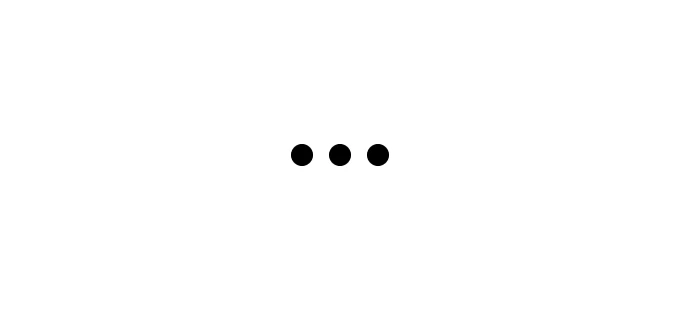
Three dots pulsing in sequence for inline loading states.
Loaders · SwiftUI · Flutter · iOS 17 · Flutter 3.27
- loader
- loading
- dots
- spinner
- pulse
- typing
The actual source
DotPulse.swift
// Dot Pulse · syxUI · https://syxui.dev/components/dot-pulse
// Free in any project. Keep this line and credit syxUI where a person can read it.

import SwiftUI

/// Three dots pulsing in sequence.
///
/// One animation per dot, offset by a phase delay. Cheaper than a `Canvas` and
/// it stops cleanly under Reduce Motion, where it falls back to three static
/// dots rather than freezing mid-pulse.
struct DotPulse: View {
    var count: Int = 3
    var size: CGFloat = 11
    var spacing: CGFloat = 8
    var color: Color = .black
    var period: Double = 0.9
    /// Drive the pulse yourself with 0...1 instead of letting it animate.
    var phase: Double? = nil

    @Environment(\.accessibilityReduceMotion) private var reduceMotion
    @State private var animating = false

    var body: some View {
        HStack(spacing: spacing) {
            ForEach(0..<count, id: \.self) { index in
                if let phase {
                    // Driven externally: compute this dot's point in the wave.
                    let local = (phase + Double(index) / Double(count)).truncatingRemainder(dividingBy: 1)
                    let wave = 1 - abs(local * 2 - 1)

                    Circle()
                        .fill(color)
                        .frame(width: size, height: size)
                        .scaleEffect(0.55 + wave * 0.45)
                        .opacity(0.35 + wave * 0.65)
                } else {
                    Circle()
                        .fill(color)
                        .frame(width: size, height: size)
                        .scaleEffect(animating ? 1 : 0.55)
                        .opacity(animating ? 1 : 0.35)
                        .animation(
                            reduceMotion
                                ? nil
                                : .easeInOut(duration: period / 2)
                                    .repeatForever(autoreverses: true)
                                    .delay(Double(index) * period / Double(count) / 2),
                            value: animating
                        )
                }
            }
        }
        .onAppear { if phase == nil { animating = true } }
        .accessibilityElement()
        .accessibilityLabel("Loading")
    }
}

#Preview {
    DotPulse()
        .padding(30)
}
iOS 17 · No dependencies
SwiftUI note. Passing nil to .animation under Reduce Motion leaves three static dots rather than a frozen frame.
Dependencies
- SwiftUI
- No external dependencies
- Flutter
- No external dependencies
Requires iOS 17
Requires Flutter 3.27