Dropdown
From syxUI — written for both platforms, not translated between them.
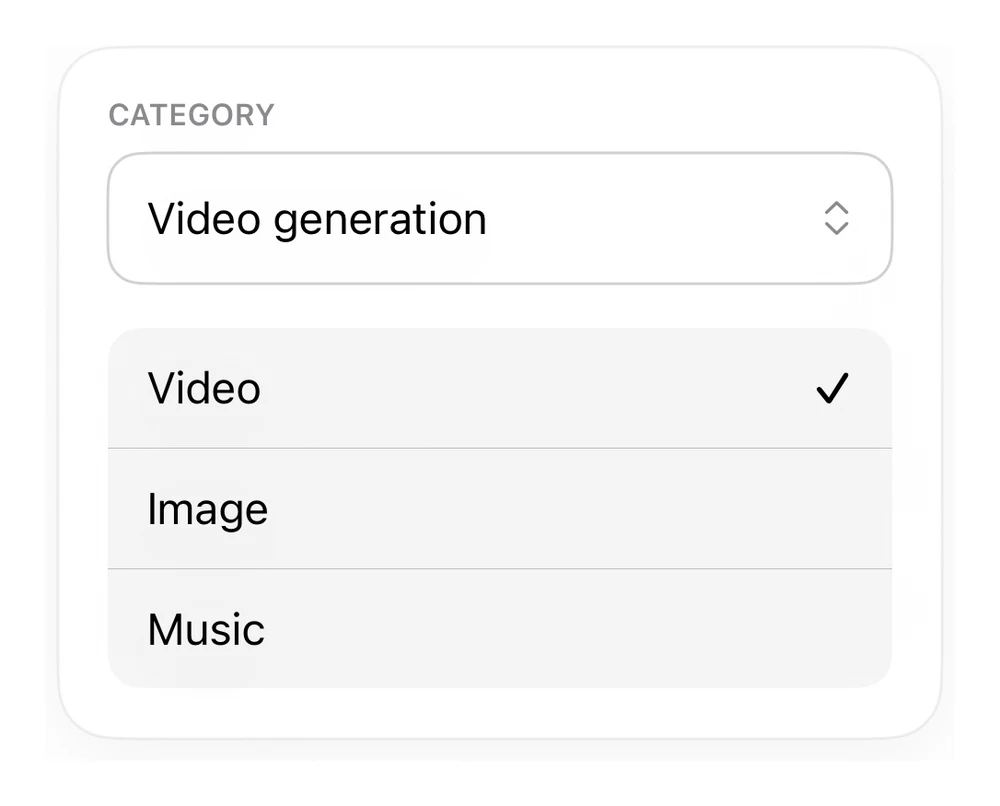
A dropdown input — self-contained SwiftUI, styled from system tokens.
Inputs · SwiftUI · iOS 17
- inputs
- swiftui
The actual source
DropdownField.swift
// Dropdown · syxUI · https://syxui.dev/components/input-dropdown
// Free in any project. Keep this line and credit syxUI where a person can read it.

import SwiftUI

extension View {
    func formaCard(_ pad: CGFloat = 18) -> some View {
        self.padding(pad)
            .background(Color(.systemBackground), in: RoundedRectangle(cornerRadius: 20, style: .continuous))
            .overlay(RoundedRectangle(cornerRadius: 20, style: .continuous).stroke(Color.primary.opacity(0.06), lineWidth: 1))
            .shadow(color: .black.opacity(0.05), radius: 14, x: 0, y: 6)
    }
}

// 19. Dropdown / menu field
struct DropdownField: View {
    var body: some View {
        VStack(alignment: .leading, spacing: 16) {
            VStack(alignment: .leading, spacing: 7) {
                Text("CATEGORY").font(.system(size: 11, weight: .semibold)).foregroundStyle(.secondary)
                HStack { Text("Video generation").font(.system(size: 16)); Spacer(); Image(systemName: "chevron.up.chevron.down").font(.system(size: 13)).foregroundStyle(.secondary) }
                    .padding(.horizontal, 14).padding(.vertical, 14)
                    .overlay(RoundedRectangle(cornerRadius: 12).stroke(Color.primary.opacity(0.18), lineWidth: 1))
            }
            VStack(spacing: 0) {
                ForEach(["Video", "Image", "Music"].indices, id: \.self) { i in
                    HStack { Text(["Video", "Image", "Music"][i]).font(.system(size: 16)); Spacer(); if i == 0 { Image(systemName: "checkmark").font(.system(size: 13, weight: .semibold)) } }
                        .padding(.horizontal, 14).padding(.vertical, 12)
                    if i < 2 { Divider() }
                }
            }
            .background(Color.primary.opacity(0.04), in: RoundedRectangle(cornerRadius: 12))
        }
        .formaCard()
    }
}
iOS 17 · 1 dependencies
Dependencies
- SwiftUI
- formaCard
Requires iOS 17