OTP Field
From syxUI — written for both platforms, not translated between them.
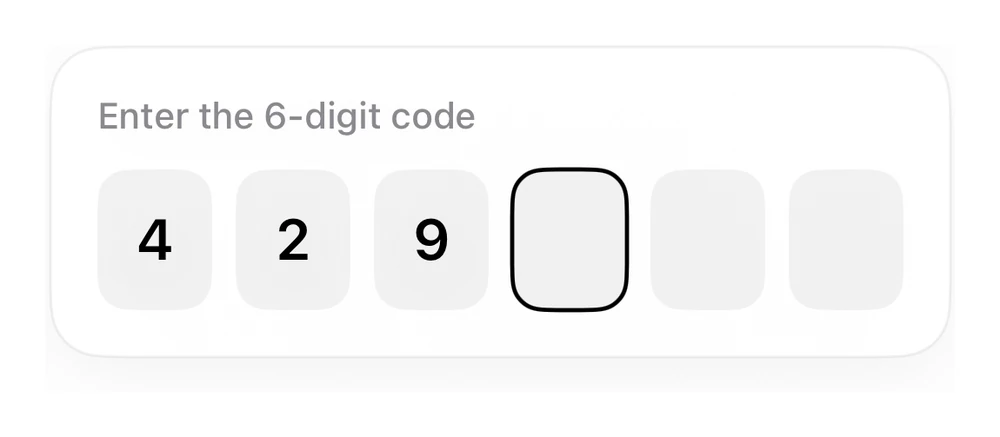
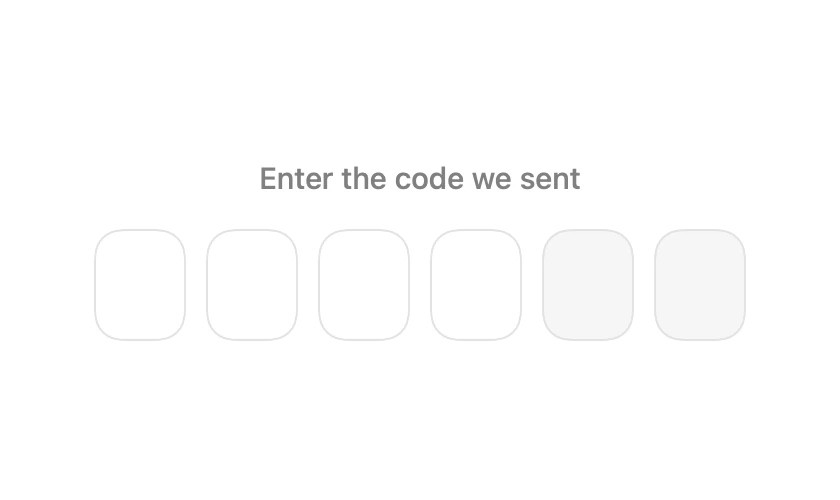
InteractiveA verification-code field where visible boxes are drawn over one real text field.
Inputs · SwiftUI · Flutter · iOS 17 · Flutter 3.27
- input
- otp
- code
- verification
- auth
- 2fa
- form
The actual source
OTPField.swift
// OTP Field · syxUI · https://syxui.dev/components/otp-field
// Free in any project. Keep this line and credit syxUI where a person can read it.

import SwiftUI

/// A one-time-code field: visible boxes over one hidden text field.
///
/// A single `TextField` owns the text, so paste, autofill from Messages, and
/// the delete key all behave. The boxes are decoration drawn from that string.
struct OTPField: View {
    var length: Int = 6
    var code: String = ""
    var onComplete: (String) -> Void = { _ in }

    @State private var text: String = ""
    @FocusState private var focused: Bool

    private var digits: [String] {
        let characters = Array(text)
        return (0..<length).map { index in
            index < characters.count ? String(characters[index]) : ""
        }
    }

    var body: some View {
        ZStack {
            TextField("", text: $text)
                .textContentType(.oneTimeCode)
                .focused($focused)
                .opacity(0.001)
                .onChange(of: text) { _, newValue in
                    // Digits only, never longer than the box count.
                    let filtered = String(newValue.filter(\.isNumber).prefix(length))
                    if filtered != newValue { text = filtered }
                    if filtered.count == length { onComplete(filtered) }
                }
            #if os(iOS)
                .keyboardType(.numberPad)
            #endif

            HStack(spacing: 10) {
                ForEach(0..<length, id: \.self) { index in
                    box(at: index)
                }
            }
            .allowsHitTesting(false)
        }
        .contentShape(Rectangle())
        .onTapGesture { focused = true }
        .onAppear { if text.isEmpty { text = code } }
        .accessibilityElement()
        .accessibilityLabel("Verification code")
        .accessibilityValue(text.isEmpty ? "Empty" : text.map(String.init).joined(separator: " "))
    }

    private func box(at index: Int) -> some View {
        let digit = digits[index]
        let isActive = focused && index == min(text.count, length - 1)

        return Text(digit)
            .font(.system(size: 24, weight: .semibold, design: .rounded))
            .monospacedDigit()
            .frame(width: 46, height: 56)
            .background(
                Color(white: digit.isEmpty ? 0.965 : 1),
                in: RoundedRectangle(cornerRadius: 14, style: .continuous)
            )
            .overlay {
                RoundedRectangle(cornerRadius: 14, style: .continuous)
                    .strokeBorder(
                        isActive ? Color.black : Color(white: 0.89),
                        lineWidth: isActive ? 2 : 1
                    )
            }
            .animation(.snappy(duration: 0.18), value: digit)
    }
}

#Preview {
    OTPField(code: "4218")
        .padding(30)
}
iOS 17 · No dependencies
SwiftUI note. One hidden TextField backs every box, which is what makes SMS autofill and paste work. Six separate fields break both.
Dependencies
- SwiftUI
- No external dependencies
- Flutter
- No external dependencies
Requires iOS 17
Requires Flutter 3.27