Search Field
From syxUI — written for both platforms, not translated between them.
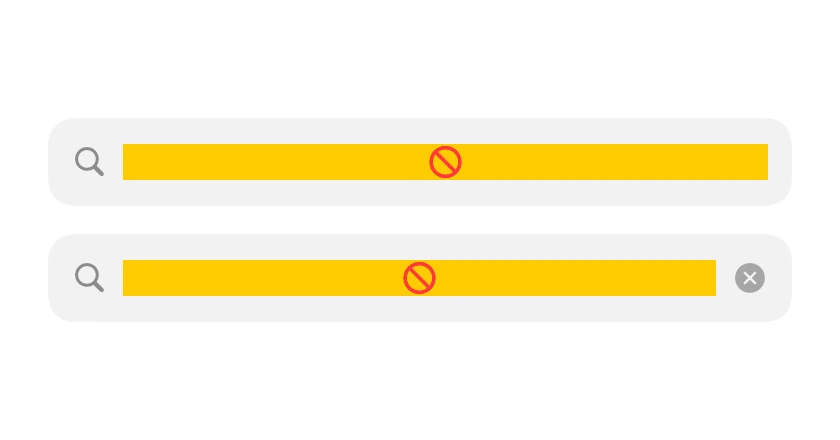
A rounded search input with a clear button and a focus-only cancel action.
Inputs · SwiftUI · Flutter · iOS 17 · Flutter 3.16
- input
- search
- field
- filter
- form
- text
The actual source
SearchField.swift
// Search Field · syxUI · https://syxui.dev/components/search-field
// Free in any project. Keep this line and credit syxUI where a person can read it.

import SwiftUI

/// A rounded search field with a clear button and an optional cancel action.
///
/// Cancel slides in only while the field is focused, so the row does not carry
/// a dead control at rest.
struct SearchField: View {
    var placeholder: String = "Search components"
    var text: Binding<String>? = nil
    var showsCancel: Bool = true
    var onCancel: () -> Void = {}

    @State private var internalText: String = ""
    @FocusState private var focused: Bool

    private var binding: Binding<String> {
        text ?? $internalText
    }

    var body: some View {
        HStack(spacing: 10) {
            HStack(spacing: 8) {
                Image(systemName: "magnifyingglass")
                    .font(.system(size: 15, weight: .medium))
                    .foregroundStyle(Color(white: 0.55))

                TextField(placeholder, text: binding)
                    .font(.system(size: 16))
                    .textFieldStyle(.plain)
                    .focused($focused)
                    .submitLabel(.search)

                if !binding.wrappedValue.isEmpty {
                    Button {
                        binding.wrappedValue = ""
                    } label: {
                        Image(systemName: "xmark.circle.fill")
                            .font(.system(size: 15))
                            .foregroundStyle(Color(white: 0.65))
                    }
                    .buttonStyle(.plain)
                    .accessibilityLabel("Clear search")
                    .transition(.scale.combined(with: .opacity))
                }
            }
            .padding(.horizontal, 12)
            .frame(height: 44)
            .background(Color(white: 0.95),
                        in: RoundedRectangle(cornerRadius: 13, style: .continuous))
            .overlay {
                RoundedRectangle(cornerRadius: 13, style: .continuous)
                    .strokeBorder(focused ? Color.black.opacity(0.5) : .clear, lineWidth: 1.5)
            }

            if showsCancel && focused {
                Button("Cancel") {
                    binding.wrappedValue = ""
                    focused = false
                    onCancel()
                }
                .font(.system(size: 16))
                .foregroundStyle(.black)
                .buttonStyle(.plain)
                .transition(.move(edge: .trailing).combined(with: .opacity))
            }
        }
        .animation(.snappy(duration: 0.22), value: focused)
        .animation(.snappy(duration: 0.18), value: binding.wrappedValue.isEmpty)
    }
}

#Preview {
    SearchField()
        .padding(30)
}
iOS 17 · No dependencies
SwiftUI note. Pass a Binding to own the text yourself, or leave it nil and the field keeps its own. For a navigation-bar search, prefer .searchable.
Dependencies
- SwiftUI
- No external dependencies
- Flutter
- No external dependencies
Requires iOS 17
Requires Flutter 3.16