Circular Text
From syxUI — written for both platforms, not translated between them.
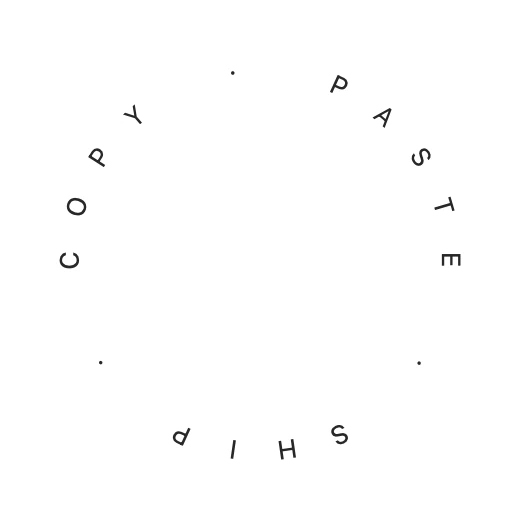
Type set around a circle, turning slowly, each glyph on its tangent.
Text Effects · SwiftUI · Flutter · iOS 17 · Flutter 3.27
- text
- circular
- arc
- path
- badge
- rotate
- animation
The actual source
CircularText.swift
// Circular Text · syxUI · https://syxui.dev/components/circular-text
// Free in any project. Keep this line and credit syxUI where a person can read it.

import SwiftUI

/// Type set around a circle, turning slowly, each glyph on its tangent.
///
/// Character `i` is offset outward then rotated by its own angle — offset
/// first, rotation second, so it is carried around the circle and stays
/// tangent to it. The whole ring then turns as one on top.
struct CircularText: View {
    var text: String = "COPY · PASTE · SHIP · "
    var radius: CGFloat = 96
    /// Degrees of the circle the text spans. 360 wraps all the way around.
    var arc: Double = 360
    /// Seconds per full turn. 0 holds the ring still.
    var period: Double = 20
    var startAngle: Double = -90
    var baseline: CircularTextBaseline = .outside
    /// Preview override. When set, the component renders that point of one
    /// turn instead of driving its own clock.
    var phase: Double? = nil

    @Environment(\.accessibilityReduceMotion) private var reduceMotion
    @State private var animated: Double = 0

    private var current: Double { phase ?? animated }
    private var step: Double {
        let count = max(text.count, 1)
        return arc / Double(count)
    }

    var body: some View {
        ZStack {
            ForEach(Array(text.enumerated()), id: \.offset) { i, ch in
                // `inside` mirrors the walking order and flips each glyph
                // 180° so the baseline faces the centre and the text still
                // reads left to right from within the circle.
                let direction: Double = baseline == .inside ? -1 : 1
                let angle = startAngle + direction * Double(i) * step
                Text(String(ch))
                    .offset(y: -radius)
                    .rotationEffect(.degrees(baseline == .inside ? angle + 180 : angle))
            }
        }
        .rotationEffect(.degrees(period > 0 ? current * 360 : 0))
        .frame(width: radius * 2 + 40, height: radius * 2 + 40)
        .onAppear(perform: start)
        .accessibilityElement(children: .ignore)
        .accessibilityLabel(text)
    }

    private func start() {
        guard phase == nil, !reduceMotion, period > 0 else { return }
        withAnimation(.linear(duration: period).repeatForever(autoreverses: false)) {
            animated = 1
        }
    }
}

enum CircularTextBaseline: String { case outside, inside }

#Preview {
    CircularText()
        .frame(width: 260, height: 260)
}
iOS 17 · No dependencies
SwiftUI note. Spacing is uniform angular division, correct for uppercase with generous tracking. For proportional spacing measure real glyph widths with `context.resolve(Text(...)).measure(in:)` inside a `Canvas` and convert arc length to angle — worth the upgrade for long lowercase strings.
Dependencies
- SwiftUI
- No external dependencies
- Flutter
- No external dependencies
Requires iOS 17
Requires Flutter 3.27