Elevation Press
From syxUI — written for both platforms, not translated between them.
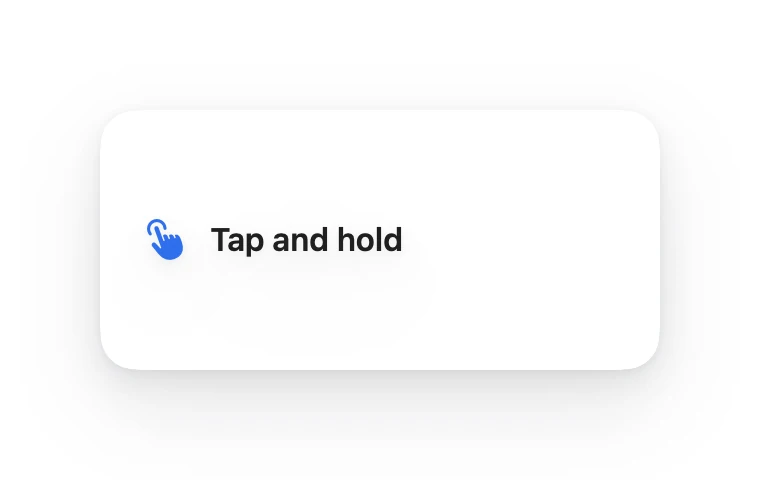
InteractiveA card on a three-layer shadow stack that sinks under your thumb and bounces back.
Cards · SwiftUI · Flutter · iOS 17 · Flutter 3.27
- card
- shadow
- elevation
- press
- depth
- material
- haptic
- tactile
The actual source
DepthElevation.swift
// Elevation Press · syxUI · https://syxui.dev/components/depth-elevation
// Free in any project. Keep this line and credit syxUI where a person can read it.

import SwiftUI

/// A card on a three-layer shadow stack that sinks under your thumb and
/// bounces back.
///
/// Real elevation is never one shadow — three layers (contact, mid, ambient)
/// compose into a stack that reads as physical depth. One `p` in −1…1 drives
/// all nine shadow numbers plus scale and scrim: `p > 0` is a press sinking
/// the stack down, `p < 0` is a long-press-and-hold lift raising it, `p == 0`
/// is rest. The two directions use different timing on purpose — sinking is
/// instant contact, rising is a small bounce — symmetric timing is what
/// makes most press states feel dead.
struct DepthElevation: View {
    var surface: Color = Color(white: 1.0)
    var shadowColor: Color = Color(red: 0.043, green: 0.051, blue: 0.078)
    var accent: Color = Color(red: 0.184, green: 0.435, blue: 0.929)
    /// Scales the whole shadow stack. 3 reproduces the numbers in the spec.
    var elevation: Double = 3
    var pressedScale: Double = 0.975
    var cornerRadius: CGFloat = 18
    /// Preview override. 0 = resting, 1 = fully pressed. When set, the
    /// component renders that point instead of waiting for a touch.
    var progress: Double? = nil

    @Environment(\.accessibilityReduceMotion) private var reduceMotion
    @State private var interactiveP: Double = 0
    @State private var isDown = false

    private let cardWidth: CGFloat = 280
    private let cardHeight: CGFloat = 130

    /// −1 (lifted) … 0 (rest) … 1 (pressed).
    private var p: Double {
        guard !reduceMotion else { return 0 }
        return progress ?? interactiveP
    }
    private var pressAmount: Double { max(0, p) }
    private var liftAmount: Double { max(0, -p) }

    private var shape: RoundedRectangle {
        RoundedRectangle(cornerRadius: cornerRadius, style: .continuous)
    }

    /// The rest stack, scaled by `elevation` (3 reproduces the numbers
    /// this component was designed against), lerped toward the pressed
    /// numbers by how far down `p` currently is.
    private var layers: [ShadowLayer] {
        let k = elevation / 3
        let rest: [ShadowLayer] = [
            ShadowLayer(y: 1 * k, radius: 2 * k, alpha: 0.05),
            ShadowLayer(y: 6 * k, radius: 8 * k, alpha: 0.07),
            ShadowLayer(y: 18 * k, radius: 24 * k, alpha: 0.09),
        ]
        return rest.map { layer in
            ShadowLayer(
                y: layer.y * (1 - 0.70 * pressAmount),
                radius: layer.radius * (1 - 0.60 * pressAmount),
                alpha: min(1, layer.alpha * (1 + 0.15 * pressAmount))
            )
        }
    }

    var body: some View {
        content
            .frame(width: cardWidth, height: cardHeight)
            .background(surface, in: shape)
            .overlay { shape.fill(.black.opacity(0.04 * pressAmount)) }
            .clipShape(shape)
            // Three shadows compose in the order written — one blur reads as
            // a drop shadow, three read as an object resting on a surface.
            .shadow(color: shadowColor.opacity(layers[0].alpha), radius: layers[0].radius, x: 0, y: layers[0].y)
            .shadow(color: shadowColor.opacity(layers[1].alpha), radius: layers[1].radius, x: 0, y: layers[1].y)
            .shadow(color: shadowColor.opacity(layers[2].alpha), radius: layers[2].radius, x: 0, y: layers[2].y)
            // The "picked up" state: one big soft shadow on top of the rest
            // stack, plus a small tilt, rather than forcing a fourth number
            // through the same three-layer formula.
            .shadow(color: shadowColor.opacity(0.14 * liftAmount), radius: 40 * liftAmount, x: 0, y: 20 * liftAmount)
            .rotationEffect(.degrees(2 * liftAmount))
            .scaleEffect(1 - (1 - pressedScale) * pressAmount)
            .gesture(
                DragGesture(minimumDistance: 0)
                    .onChanged { _ in beginPress() }
                    .onEnded { _ in endPress() }
            )
            .simultaneousGesture(
                LongPressGesture(minimumDuration: 0.45).onEnded { _ in becomeLifted() }
            )
            .accessibilityElement(children: .combine)
            .accessibilityLabel("Continue, press and hold to lift")
            .accessibilityAddTraits(.isButton)
    }

    private var content: some View {
        HStack(spacing: 12) {
            Image(systemName: "hand.tap.fill")
                .font(.system(size: 18, weight: .semibold))
                .foregroundStyle(accent)
            Text("Tap and hold")
                .font(.system(size: 16, weight: .semibold))
                .foregroundStyle(Color(white: 0.12))
            Spacer(minLength: 0)
        }
        .padding(.horizontal, 22)
    }

    // MARK: Input

    private func beginPress() {
        guard !reduceMotion, !isDown else { return }
        isDown = true
        // Instant, so it feels like contact rather than a fade-in.
        withAnimation(.easeOut(duration: 0.12)) { interactiveP = 1 }
    }

    private func becomeLifted() {
        guard !reduceMotion, isDown else { return }
        withAnimation(.spring(response: 0.28, dampingFraction: 0.68)) { interactiveP = -1 }
    }

    private func endPress() {
        guard !reduceMotion else { return }
        isDown = false
        // One small overshoot on the way back up, so release reads as
        // release rather than the sink simply undoing itself.
        withAnimation(.spring(response: 0.28, dampingFraction: 0.68)) { interactiveP = 0 }
    }
}

private struct ShadowLayer {
    var y: CGFloat
    var radius: CGFloat
    var alpha: Double
}

#Preview {
    DepthElevation()
        .frame(width: 380, height: 240)
        .background(Color(white: 0.94))
}
iOS 17 · No dependencies
SwiftUI note. A quick tap presses (p toward +1); holding past 0.45s lifts instead (p toward −1) with one big soft shadow layered on the rest of the stack rather than a fourth layer of its own. Add .sensoryFeedback(.impact(weight: .light), trigger:) on the press-down transition for iOS 17 haptics.
Dependencies
- SwiftUI
- No external dependencies
- Flutter
- No external dependencies
Requires iOS 17
Requires Flutter 3.27