Grain Overlay
From syxUI — written for both platforms, not translated between them.
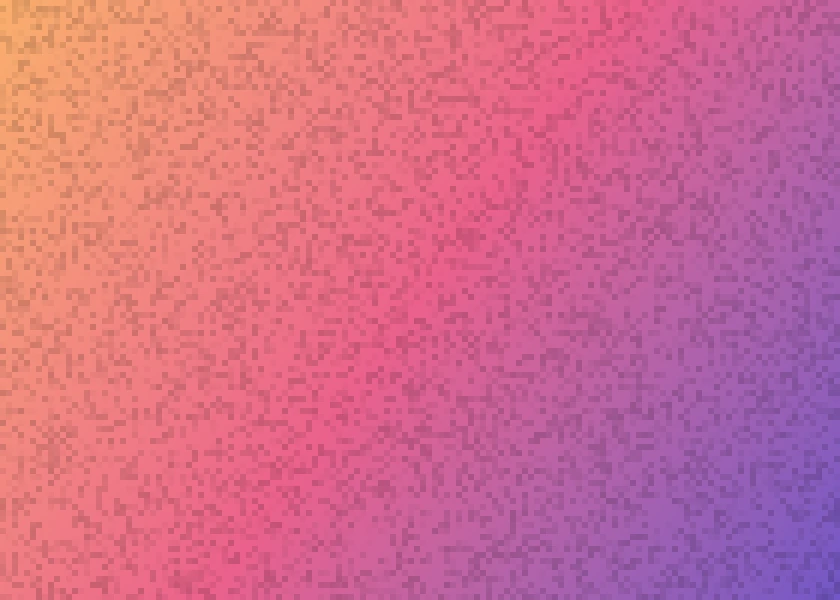
Procedural film grain to drop over any surface. No texture asset.
Backgrounds · SwiftUI · Flutter · iOS 17 · Flutter 3.27
- background
- grain
- noise
- texture
- film
- overlay
The actual source
GrainOverlay.swift
// Grain Overlay · syxUI · https://syxui.dev/components/grain-overlay
// Free in any project. Keep this line and credit syxUI where a person can read it.

import SwiftUI

/// Film grain you can drop over anything.
///
/// The noise is procedural — a hash per cell, no bundled texture — so it costs
/// nothing to ship and scales to any size. Use it as an overlay:
///
///     MyView().overlay { GrainOverlay().allowsHitTesting(false) }
struct GrainOverlay: View {
    /// Size of one grain cell in points. Smaller is finer and more expensive.
    var cell: CGFloat = 3
    var intensity: Double = 0.16
    /// Frames in the loop. The grain jumps between them, as real grain does.
    var steps: Int = 5
    var period: Double = 0.55
    var phase: Double? = nil

    @Environment(\.accessibilityReduceMotion) private var reduceMotion
    @State private var animated: Double = 0

    private var frameIndex: Int {
        guard !reduceMotion else { return 0 }
        let value = phase ?? animated
        return Int(value * Double(steps)) % max(steps, 1)
    }

    var body: some View {
        Canvas { context, size in
            let columns = Int(size.width / cell) + 1
            let rows = Int(size.height / cell) + 1

            for row in 0..<rows {
                for column in 0..<columns {
                    let value = hash(column, row, frameIndex)
                    // Only draw the darker half. Skipping the rest halves the
                    // fill count for the same perceived texture.
                    guard value > 0.5 else { continue }

                    let alpha = (value - 0.5) * 2 * intensity
                    let rect = CGRect(
                        x: CGFloat(column) * cell,
                        y: CGFloat(row) * cell,
                        width: cell,
                        height: cell
                    )
                    context.fill(Path(rect), with: .color(.black.opacity(alpha)))
                }
            }
        }
        .blendMode(.multiply)
        .onAppear(perform: start)
        .accessibilityHidden(true)
    }

    /// Cheap deterministic hash in 0...1. Same cell and frame always give the
    /// same value, so the loop repeats exactly.
    private func hash(_ x: Int, _ y: Int, _ frame: Int) -> Double {
        let n = Double(x) * 127.1 + Double(y) * 311.7 + Double(frame) * 74.7
        let s = sin(n) * 43758.5453
        return s - s.rounded(.down)
    }

    private func start() {
        guard phase == nil, !reduceMotion else { return }
        withAnimation(
            .linear(duration: period * Double(steps)).repeatForever(autoreverses: false)
        ) {
            animated = 1
        }
    }
}

#Preview {
    ZStack {
        LinearGradient(colors: [.orange, .pink], startPoint: .top, endPoint: .bottom)
        GrainOverlay()
    }
    .frame(width: 420, height: 300)
}
iOS 17 · No dependencies
SwiftUI note. Cost is area divided by cell squared, so 3pt cells on a full screen is roughly 100k fills. Raise `cell` to 4 before anything else if you see drops, or set `steps: 1` for static grain.
Dependencies
- SwiftUI
- No external dependencies
- Flutter
- No external dependencies
Requires iOS 17
Requires Flutter 3.27