Liquid Blob
From syxUI — written for both platforms, not translated between them.
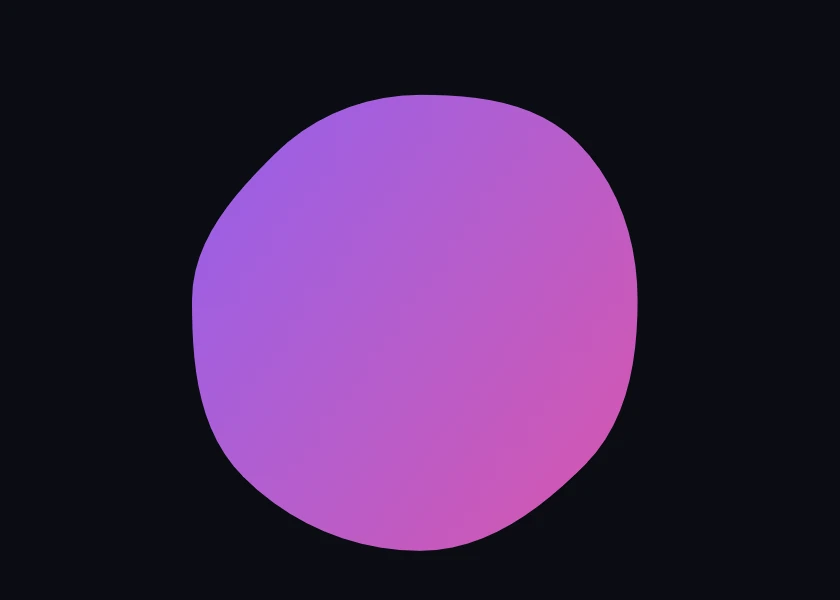
InteractiveA bezier blob that breathes and morphs between silhouettes without ever creasing.
Backgrounds · SwiftUI · Flutter · iOS 17 · Flutter 3.27
- blob
- morph
- bezier
- liquid
- organic
- gradient
- loop
- animated
The actual source
MorphBlob.swift
// Liquid Blob · syxUI · https://syxui.dev/components/morph-blob
// Free in any project. Keep this line and credit syxUI where a person can read it.

import SwiftUI

/// A closed bezier blob whose outline is driven by two continuous knobs:
/// a wobble `phase` that never stops, and a `morph` amount that blends
/// between three named silhouettes.
///
/// Both live in one `animatableData` pair on the underlying `Shape`, so a tap
/// mid-wobble retargets the silhouette without ever swapping views — the
/// wobble keeps running through the transition instead of freezing for it.
struct MorphBlob: View {
    var fills: [Color] = [
        Color(red: 0.486, green: 0.361, blue: 1.0),
        Color(red: 0.925, green: 0.282, blue: 0.600),
    ]
    var background: Color = Color(red: 0.043, green: 0.051, blue: 0.078)

    /// Vertices on the modulated circle. 8 is the sweet spot; below 6 the
    /// four-lobed silhouette loses a lobe, above 14 the wobble reads as noise.
    var points: Int = 8

    /// Radius modulation depth. 0 is a dead, static outline.
    var wobble: Double = 0.12
    var period: Double = 6
    var blur: Double = 0

    /// Preview override. When set, this samples one wobble cycle instead of
    /// driving its own clock.
    var phase: Double? = nil

    @Environment(\.accessibilityReduceMotion) private var reduceMotion
    @State private var animatedPhase: Double = 0
    @State private var silhouette = 0
    @State private var animatedMorph: Double = 0

    private var currentPhase: Double { phase ?? animatedPhase }

    var body: some View {
        ZStack {
            background
            MorphBlobOutline(
                phase: currentPhase,
                morph: animatedMorph,
                wobble: wobble,
                points: max(points, 3)
            )
            .fill(
                LinearGradient(
                    colors: fills,
                    startPoint: .topLeading,
                    endPoint: .bottomTrailing
                )
            )
            .blur(radius: blur)
        }
        .clipped()
        .onAppear(perform: startWobble)
        .onTapGesture(perform: advanceSilhouette)
        .accessibilityHidden(true)
    }

    private func startWobble() {
        guard phase == nil, !reduceMotion else { return }
        withAnimation(.linear(duration: period).repeatForever(autoreverses: false)) {
            animatedPhase = 1
        }
    }

    /// Cycles round blob → rounded square → four-lobed → round blob. The
    /// wobble animation above is untouched by this, so the two motions
    /// compose rather than fight each other.
    private func advanceSilhouette() {
        guard phase == nil, !reduceMotion else { return }
        silhouette = (silhouette + 1) % 3
        withAnimation(.easeInOut(duration: 0.9)) {
            animatedMorph = Double(silhouette)
        }
    }
}

/// The blob outline: `points` vertices on a circle, radius-modulated per
/// vertex, joined by cubic beziers whose handles are tangent to the circle.
///
/// Handle length is the standard `4/3 · tan(π/2n)` fraction of the local
/// radius that makes an n-gon of bezier arcs approximate a circle without any
/// crease — get that constant wrong and every intermediate frame of the morph
/// kinks at the vertices instead of flowing through them.
private struct MorphBlobOutline: Shape {
    var phase: Double
    var morph: Double
    var wobble: Double
    var points: Int

    var animatableData: AnimatablePair<Double, Double> {
        get { AnimatablePair(phase, morph) }
        set {
            phase = newValue.first
            morph = newValue.second
        }
    }

    func path(in rect: CGRect) -> Path {
        let n = max(points, 3)
        let centre = CGPoint(x: rect.midX, y: rect.midY)
        // Inset from the frame so the wobble has headroom to swell outward
        // without clipping against the bounds.
        let baseRadius = min(rect.width, rect.height) / 2 * 0.76
        let kappa = 4.0 / 3.0 * tan(.pi / (2 * Double(n)))

        var vertices: [CGPoint] = []
        var tangents: [(dx: Double, dy: Double)] = []
        var radii: [Double] = []
        vertices.reserveCapacity(n)
        tangents.reserveCapacity(n)
        radii.reserveCapacity(n)

        for i in 0..<n {
            let theta = 2 * Double.pi * Double(i) / Double(n)
            let silhouette = Self.silhouetteRadius(theta: theta, morph: morph)
            // Two out-of-phase sines per vertex, the second at a different
            // rate and offset — the thing that keeps a wobble loop from
            // reading as a single pulsing ring.
            let wobbleFactor = 1 + wobble * (
                sin(2 * Double.pi * (phase + Double(i) / Double(n))) * 0.6
                + sin(2 * Double.pi * (1.7 * phase + Double(i) / 5)) * 0.4
            )
            let radius = Double(baseRadius) * silhouette * wobbleFactor
            radii.append(radius)
            vertices.append(CGPoint(
                x: centre.x + CGFloat(radius * cos(theta)),
                y: centre.y + CGFloat(radius * sin(theta))
            ))
            tangents.append((dx: -sin(theta), dy: cos(theta)))
        }

        var path = Path()
        path.move(to: vertices[0])
        for i in 0..<n {
            let j = (i + 1) % n
            let h1 = CGFloat(kappa * radii[i])
            let h2 = CGFloat(kappa * radii[j])
            let control1 = CGPoint(
                x: vertices[i].x + CGFloat(tangents[i].dx) * h1,
                y: vertices[i].y + CGFloat(tangents[i].dy) * h1
            )
            let control2 = CGPoint(
                x: vertices[j].x - CGFloat(tangents[j].dx) * h2,
                y: vertices[j].y - CGFloat(tangents[j].dy) * h2
            )
            path.addCurve(to: vertices[j], control1: control1, control2: control2)
        }
        path.closeSubpath()
        return path
    }

    /// Blends round → rounded-square → four-lobed as `morph` runs 0...2.
    /// All three are closed-form radius functions of angle, so they work for
    /// any vertex count instead of needing a hand-authored point set per
    /// silhouette.
    private static func silhouetteRadius(theta: Double, morph: Double) -> Double {
        let round = 1.0
        let c = abs(cos(theta))
        let s = abs(sin(theta))
        let squareExponent = 4.0
        // Polar form of a superellipse: a closed-form "rounded square" whose
        // corners bulge to `sqrt(2)` and whose edge midpoints pull in to 1.
        let square = 1.0 / pow(pow(c, squareExponent) + pow(s, squareExponent), 1.0 / squareExponent)
        let lobed = 1.0 + 0.35 * cos(4 * theta)

        let clamped = min(max(morph, 0), 2)
        if clamped <= 1 {
            return round + (square - round) * clamped
        }
        return square + (lobed - square) * (clamped - 1)
    }
}

#Preview {
    MorphBlob()
        .frame(width: 420, height: 300)
}
iOS 17 · No dependencies
SwiftUI note. The Shape's animatableData carries phase and morph together, so a tap mid-wobble retargets the silhouette instead of restarting the loop. Raise points past 14 only if you also raise wobble — a dense, still lattice reads flat.
Dependencies
- SwiftUI
- No external dependencies
- Flutter
- No external dependencies
Requires iOS 17
Requires Flutter 3.27