Flip Card
From syxUI — written for both platforms, not translated between them.
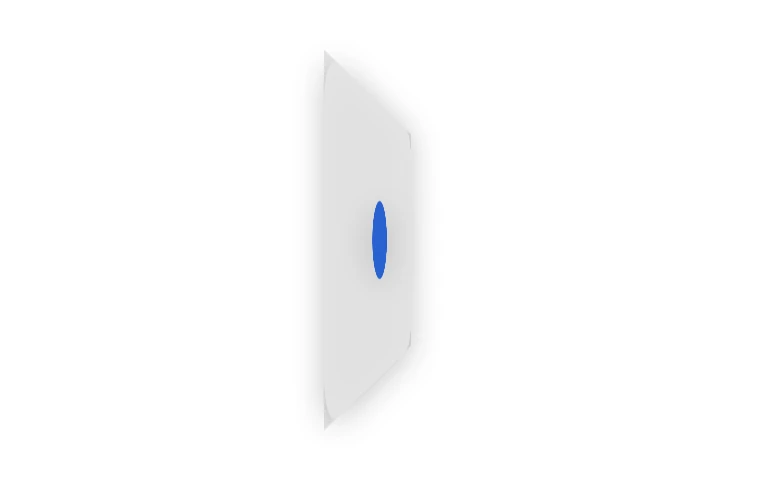
InteractiveA card that flips on its Y axis, faces swapping at the edge with a shadow that tightens mid-turn.
Cards · SwiftUI · Flutter · iOS 17 · Flutter 3.27
- card
- flip
- 3d
- rotation
- reveal
- two-sided
- perspective
The actual source
MorphFlip.swift
// Flip Card · syxUI · https://syxui.dev/components/morph-flip
// Free in any project. Keep this line and credit syxUI where a person can read it.

import SwiftUI

/// A card that flips continuously about one axis, faces swapping at the
/// edge-on moment with a shadow that tightens mid-turn.
///
/// A single `angle` — always advancing forward, never reversing — drives
/// everything: which face is opaque, the shadow's radius and offset, a
/// weight-giving scale dip, and a dim wash on the face turning away. The two
/// faces are never swapped with `if`; only `.opacity` changes, because
/// switching views mid-flip would reset their layout identity and pop.
struct MorphFlip: View {
    var frontColor: Color = Color(white: 1.0)
    var backColor: Color = Color(red: 0.063, green: 0.075, blue: 0.090)
    var accent: Color = Color(red: 0.184, green: 0.435, blue: 0.929)
    var duration: Double = 0.55
    var perspective: Double = 0.6
    /// Axis of rotation. `(0, 1, 0)` flips horizontally, `(1, 0, 0)` vertically.
    var axis: (x: CGFloat, y: CGFloat, z: CGFloat) = (x: 0, y: 1, z: 0)

    /// Preview override. When set, this renders that point of one full turn
    /// instead of waiting for a tap.
    var progress: Double? = nil

    @Environment(\.accessibilityReduceMotion) private var reduceMotion
    /// Half-turns completed, in progress units (0.5 = 180°). Only ever grows:
    /// the card always rotates the same direction it started in, so a rapid
    /// double tap never has to snap backward mid-flight.
    @State private var turns: Double = 0

    private var p: Double { progress ?? turns }
    private var angle: Double { 360 * p }

    private var normalizedAngle: Double {
        let remainder = angle.truncatingRemainder(dividingBy: 360)
        return remainder < 0 ? remainder + 360 : remainder
    }

    private var isFrontFacing: Bool { normalizedAngle < 90 || normalizedAngle >= 270 }

    /// 0 at every face-on rest point, 1 at every edge-on crossing. Repeats
    /// every 180° so the shadow/scale/dim beats land on every face swap, no
    /// matter how many turns have accumulated.
    private var edgeBump: Double {
        let segment = angle / 180
        return sin((segment - floor(segment)) * .pi)
    }

    var body: some View {
        ZStack {
            face(frontColor).opacity(isFrontFacing ? 1 : 0)
            face(backColor)
                // Pre-rotated 180° so its content reads correctly, not
                // mirrored, once the outer rotation brings it forward.
                .rotation3DEffect(.degrees(180), axis: axis)
                .opacity(isFrontFacing ? 0 : 1)
        }
        .overlay(Color.black.opacity(0.10 * edgeBump))
        .scaleEffect(1 - 0.03 * edgeBump)
        .rotation3DEffect(.degrees(angle), axis: axis, perspective: perspective)
        .shadow(
            color: .black.opacity(0.22),
            radius: lerp(24, 8, edgeBump),
            y: lerp(12, 2, edgeBump)
        )
        .frame(width: 220, height: 140)
        .frame(maxWidth: .infinity, maxHeight: .infinity)
        .contentShape(Rectangle())
        .onTapGesture(perform: flip)
        .accessibilityElement()
        .accessibilityAddTraits(.isButton)
        .accessibilityLabel("Flip card")
        .accessibilityValue(isFrontFacing ? "Showing front" : "Showing back")
        .accessibilityHint("Flips to the other side")
    }

    private func face(_ color: Color) -> some View {
        RoundedRectangle(cornerRadius: 20, style: .continuous)
            .fill(color)
            .overlay {
                Circle()
                    .fill(accent)
                    .frame(width: 40, height: 40)
            }
    }

    private func flip() {
        guard progress == nil else { return }
        if reduceMotion {
            turns += 0.5
            return
        }
        withAnimation(.timingCurve(0.22, 1, 0.36, 1, duration: duration)) {
            turns += 0.5
        }
    }

    private func lerp(_ a: Double, _ b: Double, _ t: Double) -> Double { a + (b - a) * t }
}

#Preview {
    MorphFlip()
        .frame(width: 380, height: 240)
        .padding(24)
}
iOS 17 · No dependencies
SwiftUI note. The angle only ever grows, never reverses, so a rapid double tap never has to snap backward mid-flight. Faces swap with `.opacity`, never `if` — swapping views resets their identity and pops.
Dependencies
- SwiftUI
- No external dependencies
- Flutter
- No external dependencies
Requires iOS 17
Requires Flutter 3.27