Permission Primer
From syxUI — written for both platforms, not translated between them.
The explainer you show before the system permission dialog, so you only ask once.
Onboarding · SwiftUI · Flutter · iOS 17 · Flutter 3.27
- onboarding
- permission
- notifications
- primer
- pre-prompt
- animated
The actual source
PermissionPrimer.swift
// Permission Primer · syxUI · https://syxui.dev/components/permission-primer
// Free in any project. Keep this line and credit syxUI where a person can read it.

import SwiftUI

/// The screen you show *before* the system permission alert.
///
/// The system alert can only be shown once. Asking cold burns it, so this
/// explains the trade first and only calls through when the answer is likely
/// to be yes — `onAllow` is where you invoke the real request.
struct PermissionPrimer: View {
    var symbol: String = "bell.badge.fill"
    var title: String = "Stay in the loop"
    var message: String = "Get a nudge when a build finishes or someone replies. No marketing, ever."
    var reasons: [String] = [
        "Only for things you started",
        "Turn any type off individually",
        "Nothing is shared with anyone",
    ]
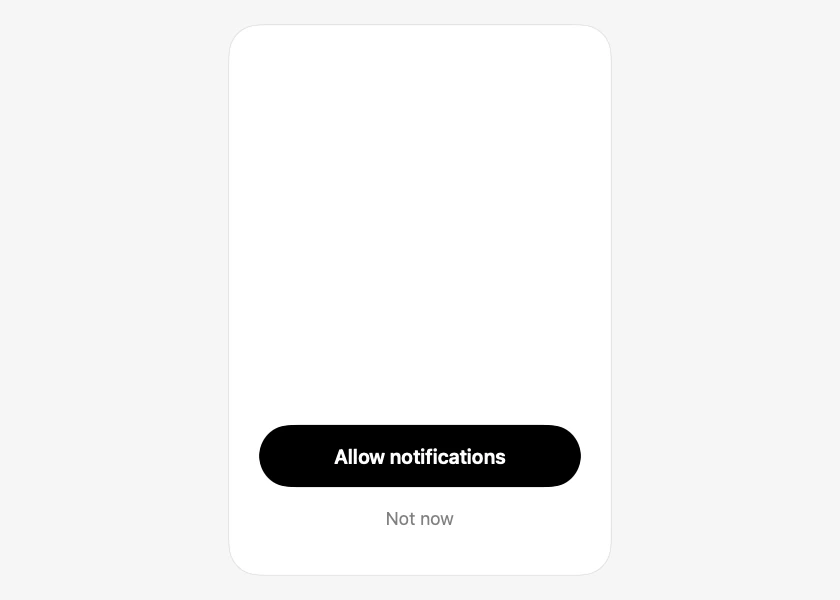
    var allowTitle: String = "Allow notifications"
    var denyTitle: String = "Not now"
    var accent: Color = Color(red: 0.36, green: 0.42, blue: 0.98)

    var onAllow: () -> Void = {}
    var onDeny: () -> Void = {}
    /// Drive the entrance externally, 0...1.
    var progress: Double? = nil

    @Environment(\.accessibilityReduceMotion) private var reduceMotion
    @State private var animated: Double = 0

    private var t: Double { progress ?? animated }

    var body: some View {
        VStack(spacing: 0) {
            // The explanation scrolls; the buttons stay pinned. Long
            // translations and large Dynamic Type sizes both make this list
            // taller than the screen, and the action must never be pushed out
            // of reach.
            ScrollView {
                explanation
            }
            .scrollBounceBehavior(.basedOnSize)
            .scrollIndicators(.hidden)

            VStack(spacing: 4) {
                Button(action: onAllow) {
                    Text(allowTitle)
                        .font(.system(size: 16.5, weight: .semibold))
                        .foregroundStyle(.white)
                        .frame(maxWidth: .infinity)
                        .frame(height: 52)
                        .background(.black, in: Capsule())
                }
                .buttonStyle(.plain)

                Button(action: onDeny) {
                    Text(denyTitle)
                        .font(.system(size: 15))
                        .foregroundStyle(.secondary)
                        .frame(maxWidth: .infinity)
                        .frame(height: 44)
                        .contentShape(Rectangle())
                }
                .buttonStyle(.plain)
            }
            .opacity(phase(0.6))
            .padding(.top, 14)
        }
        .padding(26)
        .frame(width: 320, height: 460)
        .onAppear(perform: start)
    }

    private var explanation: some View {
        VStack(spacing: 0) {
            glyph
                .padding(.bottom, 22)

            Text(title)
                .font(.system(size: 22, weight: .bold))
                .multilineTextAlignment(.center)
                .opacity(phase(0.15))
                .offset(y: (1 - phase(0.15)) * 12)

            Text(message)
                .font(.system(size: 14.5))
                .foregroundStyle(.secondary)
                .multilineTextAlignment(.center)
                .fixedSize(horizontal: false, vertical: true)
                .padding(.top, 7)
                .opacity(phase(0.25))
                .offset(y: (1 - phase(0.25)) * 12)

            VStack(alignment: .leading, spacing: 10) {
                ForEach(Array(reasons.enumerated()), id: \.offset) { index, reason in
                    // Each reason arrives a beat after the one above it.
                    let local = phase(0.35 + Double(index) * 0.08)

                    HStack(spacing: 9) {
                        Image(systemName: "checkmark")
                            .font(.system(size: 10, weight: .bold))
                            .foregroundStyle(accent)
                            .frame(width: 18, height: 18)
                            .background(accent.opacity(0.12), in: Circle())
                        Text(reason)
                            .font(.system(size: 13.5))
                            .foregroundStyle(.primary)
                    }
                    .opacity(local)
                    .offset(x: (1 - local) * -10)
                }
            }
            .frame(maxWidth: .infinity, alignment: .leading)
            .padding(.top, 22)
            .padding(.horizontal, 4)
        }
    }

    private var glyph: some View {
        ZStack {
            Circle()
                .fill(accent.opacity(0.10))
                .frame(width: 96, height: 96)
                .scaleEffect(0.7 + 0.3 * phase(0))
            Image(systemName: symbol)
                .font(.system(size: 38))
                .foregroundStyle(accent)
                .scaleEffect(0.6 + 0.4 * phase(0.05))
        }
        .opacity(phase(0))
    }

    /// Eased sub-phase starting at `from`, so elements stagger off one value.
    private func phase(_ from: Double) -> Double {
        let raw = min(max((t - from) / 0.35, 0), 1)
        return 1 - pow(1 - raw, 3)
    }

    private func start() {
        guard progress == nil else { return }
        guard !reduceMotion else { animated = 1; return }
        withAnimation(.linear(duration: 1.1)) { animated = 1 }
    }
}

#Preview {
    PermissionPrimer(progress: 1)
        .padding(20)
}
iOS 17 · No dependencies
SwiftUI note. Call the real UNUserNotificationCenter request inside onAllow, and record the denial in onDeny so you do not show this again next launch. The system alert only appears once per install — this is what protects that one shot.
Dependencies
- SwiftUI
- No external dependencies
- Flutter
- No external dependencies
Requires iOS 17
Requires Flutter 3.27