Expandable Rows
From syxUI — written for both platforms, not translated between them.
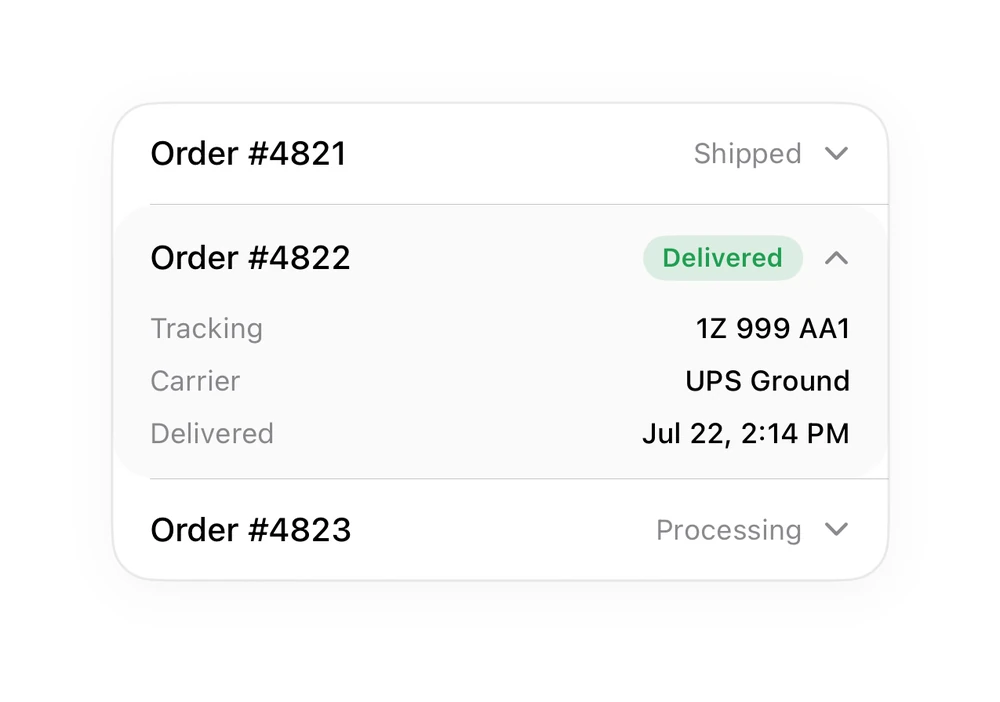
Rows that expand to reveal a key/value detail block.
Cards · SwiftUI · iOS 17
- cards
- swiftui
The actual source
TableExpandable.swift
// Expandable Rows · syxUI · https://syxui.dev/components/table-expandable
// Free in any project. Keep this line and credit syxUI where a person can read it.

import SwiftUI

let tblGreen = Color(red: 0.13, green: 0.62, blue: 0.32)

extension View {
    func tblCard(_ w: CGFloat) -> some View {
        self.frame(width: w)
            .background(Color(.systemBackground), in: RoundedRectangle(cornerRadius: 18, style: .continuous))
            .clipShape(RoundedRectangle(cornerRadius: 18, style: .continuous))
            .overlay(RoundedRectangle(cornerRadius: 18, style: .continuous).stroke(Color.primary.opacity(0.08), lineWidth: 1))
            .shadow(color: .black.opacity(0.04), radius: 10, x: 0, y: 4)
    }
}

func tblPill(_ text: String, _ color: Color) -> some View {
    Text(text).font(.system(size: 11, weight: .semibold)).foregroundStyle(color)
        .padding(.horizontal, 8).padding(.vertical, 3)
        .background(color.opacity(0.14), in: Capsule())
}

/// Expandable rows - one open row reveals a key/value detail block.
struct TableExpandable: View {
    var body: some View {
        VStack(spacing: 0) {
            row("Order #4821", "Shipped")
            Divider().padding(.leading, 16)
            VStack(spacing: 0) {
                HStack {
                    Text("Order #4822").font(.system(size: 14, weight: .medium))
                    Spacer()
                    tblPill("Delivered", tblGreen)
                    Image(systemName: "chevron.up").font(.system(size: 11, weight: .semibold)).foregroundStyle(.secondary)
                }.padding(.horizontal, 16).padding(.vertical, 13)
                VStack(spacing: 8) {
                    detail("Tracking", "1Z 999 AA1")
                    detail("Carrier", "UPS Ground")
                    detail("Delivered", "Jul 22, 2:14 PM")
                }.padding(.horizontal, 16).padding(.bottom, 12)
            }.background(Color.primary.opacity(0.02))
            Divider().padding(.leading, 16)
            row("Order #4823", "Processing")
        }
        .tblCard(330)
    }
    func row(_ t: String, _ s: String) -> some View {
        HStack {
            Text(t).font(.system(size: 14, weight: .medium))
            Spacer()
            Text(s).font(.system(size: 12)).foregroundStyle(.secondary)
            Image(systemName: "chevron.down").font(.system(size: 11, weight: .semibold)).foregroundStyle(.secondary)
        }.padding(.horizontal, 16).padding(.vertical, 13)
    }
    func detail(_ k: String, _ v: String) -> some View {
        HStack {
            Text(k).font(.system(size: 12)).foregroundStyle(.secondary)
            Spacer()
            Text(v).font(.system(size: 12, weight: .medium))
        }
    }
}
iOS 17 · No dependencies
Dependencies
- SwiftUI
- No external dependencies
Requires iOS 17