Digit Roll
From syxUI — written for both platforms, not translated between them.
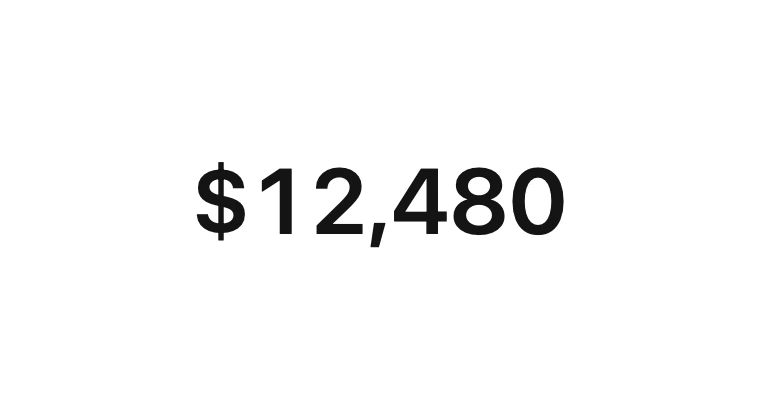
An odometer whose digit columns roll up and settle with a spring.
Text Effects · SwiftUI · Flutter · iOS 17 · Flutter 3.27
- text
- number
- odometer
- counter
- digits
- stats
- animation
The actual source
DigitRoll.swift
// Digit Roll · syxUI · https://syxui.dev/components/digit-roll
// Free in any project. Keep this line and credit syxUI where a person can read it.

import SwiftUI

#if os(macOS)
import AppKit
private typealias PlatformFont = NSFont
#else
import UIKit
private typealias PlatformFont = UIFont
#endif

/// Which end of the figure leads the cascade.
enum DigitRollOrder: Sendable {
    /// Least-significant column first — the way a real odometer trips.
    case rtl
    /// Most-significant column first. Reads better on a headline figure.
    case ltr
    /// Every column together.
    case all
}

/// An odometer: one vertical 0-9 strip per digit, clipped to a single row.
///
/// Every column is a real strip rather than a cross-faded label, so you see
/// the neighbouring digits travel past and you see the spring carry the strip
/// a whisker too far before it settles. That overshoot is the mechanical tell.
/// The prefix and the group separators are outside the clips and never move.
struct DigitRoll: View {
    var value: Int = 12480
    /// Columns to draw. Leading zeros are dropped unless `leadingZeros` is on.
    var digits: Int = 6
    var prefix: String = "$"
    /// Milliseconds between neighbouring columns starting their roll.
    var stagger: Double = 60
    var direction: DigitRollOrder = .rtl
    var leadingZeros: Bool = false

    var fontSize: CGFloat = 46
    var color: Color = Color(white: 0.08)
    var separator: String = ","
    /// Digit every strip starts from before it rolls.
    var start: Int = 0
    /// Settle spring. At 0.82 damping the strip overshoots by about a percent,
    /// which is the difference between mechanical and merely eased.
    var response: Double = 0.55
    var damping: Double = 0.82

    /// Preview override. When set, the component renders that point of the
    /// roll instead of running its own spring.
    var progress: Double? = nil

    @Environment(\.accessibilityReduceMotion) private var reduceMotion
    @State private var landed = false

    var body: some View {
        HStack(alignment: .center, spacing: 0) {
            if !prefix.isEmpty {
                Text(prefix)
                    .frame(height: rowHeight)
            }

            ForEach(slots) { slot in
                if let digit = slot.digit {
                    strip(to: digit, delay: Double(slot.order) * stagger)
                } else {
                    Text(separator)
                        .frame(height: rowHeight)
                }
            }
        }
        .font(.system(size: fontSize, weight: .semibold))
        .monospacedDigit()
        .foregroundStyle(color)
        .onAppear { landed = true }
        // VoiceOver wants the figure, not ten digits per column.
        .accessibilityElement(children: .ignore)
        .accessibilityLabel(spoken)
    }

    /// One column: the full 0-9 strip, translated so the wanted digit sits in
    /// the single row the clip leaves visible.
    private func strip(to digit: Int, delay: Double) -> some View {
        let shown = landed ? digit : start

        return VStack(spacing: 0) {
            ForEach(0..<10, id: \.self) { row in
                Text(String(row))
                    .frame(height: rowHeight)
            }
        }
        .offset(y: offset(to: digit, delay: delay))
        .frame(height: rowHeight, alignment: .top)
        .clipped()
        .animation(roll(delay: delay), value: shown)
    }

    /// Live rolls run on a real spring, so a `value` change mid-flight
    /// retargets from wherever the strip has got to instead of restarting.
    private func roll(delay: Double) -> Animation? {
        guard progress == nil, !reduceMotion else { return nil }
        return .spring(response: response, dampingFraction: damping)
            .delay(delay / 1000)
    }

    private func offset(to digit: Int, delay: Double) -> CGFloat {
        guard let progress else {
            return -CGFloat(landed ? digit : start) * rowHeight
        }
        let settle = springSettle(progress * duration - delay / 1000)
        let travelled = Double(start) + (Double(digit) - Double(start)) * settle
        return -CGFloat(travelled) * rowHeight
    }

    /// Unit step response of `.spring(response:dampingFraction:)`, evaluated
    /// in closed form. Only needed when `progress` is sampling frames: there
    /// is no animation running then, and the overshoot has to come from
    /// somewhere or the preview reads as a linear slide.
    private func springSettle(_ t: Double) -> Double {
        guard t > 0 else { return 0 }
        let omega = 2 * .pi / max(response, 0.01)
        let zeta = min(max(damping, 0.05), 1)
        if zeta >= 1 { return 1 - exp(-omega * t) * (1 + omega * t) }

        let damped = omega * (1 - zeta * zeta).squareRoot()
        let decay = exp(-zeta * omega * t)
        return 1 - decay * (cos(damped * t) + (zeta * omega / damped) * sin(damped * t))
    }

    /// Seconds for the whole cascade: last column's delay plus its settle.
    private var duration: Double {
        let columns = shownDigits.count - firstShown
        let last = direction == .all ? 0 : Double(max(columns - 1, 0)) * stagger
        return last / 1000 + response * 2.6
    }

    /// `NSFont` has no `lineHeight`, so use the metric sum that both platforms
    /// spell the same way. Deriving the row from the font is what keeps the
    /// clip aligned at large Dynamic Type sizes instead of near enough.
    private var rowHeight: CGFloat {
        let font = PlatformFont.systemFont(ofSize: fontSize, weight: .semibold)
        return font.ascender - font.descender + font.leading
    }

    private var shownDigits: [Int] {
        var out: [Int] = []
        var remainder = max(value, 0)
        for _ in 0..<min(max(digits, 1), 9) {
            out.append(remainder % 10)
            remainder /= 10
        }
        return out.reversed()
    }

    /// Index of the first column that gets drawn. Dropping the leading zeros
    /// rather than blanking them keeps the figure optically centred.
    private var firstShown: Int {
        guard !leadingZeros else { return 0 }
        let list = shownDigits
        var index = 0
        while index < list.count - 1 && list[index] == 0 { index += 1 }
        return index
    }

    private var slots: [Slot] {
        let list = shownDigits
        let first = firstShown
        let columns = list.count - first
        var out: [Slot] = []
        var position = 0

        for index in first..<list.count {
            let place = list.count - 1 - index
            out.append(Slot(id: out.count, digit: list[index], order: order(position, of: columns)))
            position += 1
            if place > 0 && place.isMultiple(of: 3) {
                out.append(Slot(id: out.count, digit: nil, order: 0))
            }
        }
        return out
    }

    private func order(_ position: Int, of columns: Int) -> Int {
        switch direction {
        case .ltr: return position
        case .rtl: return columns - 1 - position
        case .all: return 0
        }
    }

    private var spoken: String {
        slots.reduce(prefix) { text, slot in
            text + (slot.digit.map(String.init) ?? separator)
        }
    }

    /// One position in the line: a rolling column, or a separator that does not.
    private struct Slot: Identifiable {
        let id: Int
        let digit: Int?
        let order: Int
    }
}

#Preview {
    DigitRoll()
        .padding(30)
}
iOS 17 · No dependencies
SwiftUI note. Row height comes from the font's ascender/descender/leading, not a guess, so the clip holds at large Dynamic Type. `progress` samples a closed-form spring for the preview; the live path always runs a real `.spring`, and a `value` change mid-roll retargets it rather than restarting.
Dependencies
- SwiftUI
- No external dependencies
- Flutter
- No external dependencies
Requires iOS 17
Requires Flutter 3.27