Flip Text
From syxUI — written for both platforms, not translated between them.
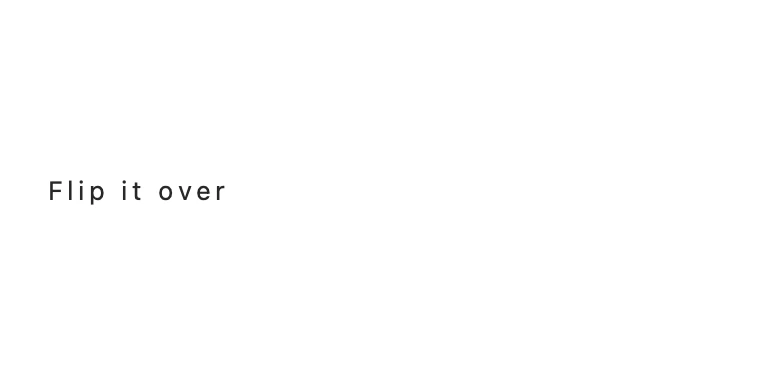
Characters swing in on a hinge, one after another, with real perspective.
Text Effects · SwiftUI · Flutter · iOS 17 · Flutter 3.27
- text
- flip
- 3d
- perspective
- stagger
- reveal
- animation
The actual source
FlipText3D.swift
// Flip Text · syxUI · https://syxui.dev/components/flip-text-3d
// Free in any project. Keep this line and credit syxUI where a person can read it.

import SwiftUI

/// Characters swing in on a hinge, one after another, with real perspective.
///
/// Each unit rotates from just past edge-on to a few degrees past flat, which
/// is what gives the hinge its weight — a flat start/end would read as a
/// simple fade. `progress` drives one continuous timeline; every unit reads
/// its own window of it, so this is a single lerped view, not an `if/else`.
struct FlipText3D: View {
    var text: String = "Flip it over"
    var unit: FlipUnit = .character
    var stagger: Double = 42
    var duration: Double = 480
    var perspective: Double = 0.55
    var axis: FlipAxis = .x
    /// Preview override. When set, the component renders that point of the
    /// reveal instead of driving its own clock.
    var progress: Double? = nil

    @Environment(\.accessibilityReduceMotion) private var reduceMotion
    @State private var animated: Double = 0

    private var current: Double { progress ?? animated }

    private var units: [String] {
        switch unit {
        case .character: return text.map(String.init)
        case .word: return text.split(separator: " ").map(String.init)
        case .line: return text.split(separator: "\n").map(String.init)
        }
    }

    /// Total timeline length in milliseconds: the last unit's window ends
    /// exactly at `stagger * (n - 1) + duration`.
    private var totalMs: Double {
        stagger * Double(max(units.count - 1, 0)) + duration
    }

    var body: some View {
        let content = Group {
            if unit == .line {
                VStack(alignment: .leading, spacing: 4) { unitViews }
            } else {
                FlowLayout(spacing: unit == .word ? 8 : 2) { unitViews }
            }
        }
        content
            .onAppear(perform: start)
            .accessibilityElement(children: .ignore)
            .accessibilityLabel(text)
    }

    @ViewBuilder private var unitViews: some View {
        ForEach(Array(units.enumerated()), id: \.offset) { i, piece in
            let windowStart = stagger * Double(i)
            let elapsedMs = (reduceMotion && progress == nil) ? totalMs : current * totalMs
            let rawLocal = ((elapsedMs - windowStart) / duration).clamped(to: 0...1)
            let eased = hingeEase(rawLocal)

            Text(piece)
                .opacity(min(rawLocal / 0.4, 1))
                .rotation3DEffect(
                    .degrees(-92 + eased * 92),
                    axis: axis == .x ? (x: 1, y: 0, z: 0) : (x: 0, y: 1, z: 0),
                    anchor: .center,
                    anchorZ: 0,
                    perspective: perspective
                )
                .frame(minHeight: 1, alignment: .center)
        }
    }

    /// Closed-form ease matching a lightly underdamped spring — about 6° of
    /// overshoot past flat on the default 92° arc. A formula rather than a
    /// live `.spring()` animation, so the exact same frame renders whether
    /// driven live or scrubbed to a static `progress`.
    private func hingeEase(_ t: Double) -> Double {
        let c1 = 1.3
        let c3 = c1 + 1
        let u = t - 1
        return 1 + c3 * u * u * u + c1 * u * u
    }

    private func start() {
        guard progress == nil, !reduceMotion else { return }
        withAnimation(.linear(duration: totalMs / 1000)) {
            animated = 1
        }
    }
}

enum FlipUnit: String { case character, word, line }
enum FlipAxis: String { case x, y }

private extension Comparable {
    func clamped(to range: ClosedRange<Self>) -> Self {
        min(max(self, range.lowerBound), range.upperBound)
    }
}

/// Wraps content left-to-right, moving to a new line when it would overflow
/// the proposed width. Iterative on iOS 16+ `Layout`; used by any
/// per-character component that must still line-break normally.
private struct FlowLayout: Layout {
    var spacing: CGFloat = 4
    var lineSpacing: CGFloat = 6

    func sizeThatFits(proposal: ProposedViewSize, subviews: Subviews, cache: inout ()) -> CGSize {
        let maxWidth = proposal.width ?? .infinity
        var origin = CGPoint.zero
        var lineHeight: CGFloat = 0
        var totalHeight: CGFloat = 0

        for subview in subviews {
            let size = subview.sizeThatFits(.unspecified)
            if origin.x + size.width > maxWidth, origin.x > 0 {
                origin.x = 0
                origin.y += lineHeight + lineSpacing
                totalHeight = origin.y
                lineHeight = 0
            }
            origin.x += size.width + spacing
            lineHeight = max(lineHeight, size.height)
        }
        totalHeight += lineHeight
        return CGSize(width: maxWidth.isFinite ? maxWidth : origin.x, height: totalHeight)
    }

    func placeSubviews(in bounds: CGRect, proposal: ProposedViewSize, subviews: Subviews, cache: inout ()) {
        let maxWidth = bounds.width
        var origin = CGPoint(x: bounds.minX, y: bounds.minY)
        var lineHeight: CGFloat = 0

        for subview in subviews {
            let size = subview.sizeThatFits(.unspecified)
            if origin.x + size.width > bounds.minX + maxWidth, origin.x > bounds.minX {
                origin.x = bounds.minX
                origin.y += lineHeight + lineSpacing
                lineHeight = 0
            }
            subview.place(at: origin, anchor: .topLeading, proposal: .unspecified)
            origin.x += size.width + spacing
            lineHeight = max(lineHeight, size.height)
        }
    }
}

#Preview {
    FlipText3D()
        .font(.system(size: 34, weight: .bold))
        .frame(width: 340, height: 140)
}
iOS 17 · No dependencies
SwiftUI note. The hinge overshoot is a closed-form ease applied to each unit's local progress, not a live `.spring()`, so a scrubbed `progress` value always renders the exact same frame. `unit: line` at `stagger: 140` is the departure-board row effect.
Dependencies
- SwiftUI
- No external dependencies
- Flutter
- No external dependencies
Requires iOS 17
Requires Flutter 3.27