Status Morph
From syxUI — written for both platforms, not translated between them.
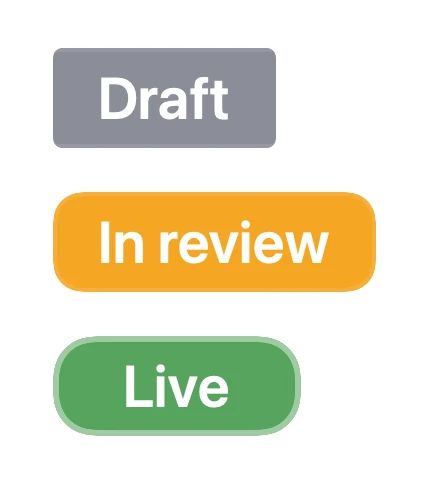
A status pill that morphs between named states, its colour, corner radius, and width on one spring.
Badges · SwiftUI · Flutter · iOS 17 · Flutter 3.27
- badge
- status
- pill
- morph
- state
- label
- chip
The actual source
StatusMorphPill.swift
// Status Morph · syxUI · https://syxui.dev/components/status-morph-pill
// Free in any project. Keep this line and credit syxUI where a person can read it.

import SwiftUI

#if canImport(UIKit)
import UIKit
private typealias StatusPillFont = UIFont
#else
import AppKit
private typealias StatusPillFont = NSFont
#endif

/// The draft corner, in points, and deliberately *not* derived from `height`.
///
/// A fixed 5pt reads as "squarish chip" at every badge size, and because the
/// capsule end is `height / 2`, keeping this constant makes the corner travel
/// longer as the badge grows — which is what you want, since a larger badge is
/// where the shape change has room to be seen.
private let statusDraftRadius: CGFloat = 5

/// Where the colour finishes, as a fraction of the spring's travel.
///
/// The fill is a pure function of the one spring, so it cannot drift out of
/// step with the width or the corner — but it is *compressed* to land at 84% of
/// the travel rather than at 100%. That matters because every two-step blend in
/// this palette passes through a colour nobody chose: half amber, half green is
/// olive, and slate to amber is a dead khaki. Riding the raw spring the pill
/// sits in that midpoint for around 95 ms; at 0.84 it is through it in 45.
/// The colour announces the new state, the shape confirms it.
private let statusColourLead = 0.84

/// The word swap, in spring-travel space — and the one place this component is
/// deliberately asymmetric.
///
/// Two words of different lengths crossfading inside a pill that is *itself*
/// resizing has one failure mode, and the filmstrip is where it showed up: the
/// long word wants more room than the pill currently has, and cropping it at the
/// rim reads as a truncated label rather than as motion. So each word is scaled
/// to the room it actually has — see `fit` in the body — which makes cropping
/// impossible at any bound string or text size, and the window is then placed so
/// that scale never has far to travel:
///
/// - **Growing** (`Draft` → `In review`): the incoming word is the long one, so
///   it must not arrive before the room does, or it arrives visibly undersized.
///   Swap over the back half, 0.44…0.94.
/// - **Shrinking** (`In review` → `Live`): the outgoing word is the long one, so
///   it leaves while the room is still there, shrinking as it goes. Swap over
///   the front, 0.02…0.44.
///
/// One rule underneath both: **the word changes where the room changes.** One
/// window used for both directions leaves the long word 24% undersized while it
/// is still fully opaque, measured off the rendered still; direction-aware it is
/// within 3%, and the 13% it reaches at the crossover is masked by being half
/// faded out.
///
/// The two alphas are complements and always sum to 1. Sequencing them
/// out-then-in instead leaves a window with neither word drawn, and a status pill
/// that goes blank for a frame and a half reads as a failed render — the exact
/// defect `build-state-badge` shipped and had to be rebuilt for.
///
/// The counter-roll is 0.52 of the height rather than the third `build-state-badge`
/// settled on, and that came out of rendered frames too. A third is fine beside
/// a mark that is also moving; here the words are the only content, and at a
/// third they sit close enough at the crossover to read as one double-exposed
/// word. Half the height separates them cleanly and still keeps both fully
/// inside the pill, so nothing is clipped and there is never a frame without ink
/// in it.
private let statusWordGrowFrom = 0.44
private let statusWordGrowTo = 0.94
private let statusWordShrinkFrom = 0.02
private let statusWordShrinkTo = 0.44
private let statusWordRoll = 0.52
private let statusWordScale = 0.06

/// How much of one morph `progress` spans, in multiples of `response`.
///
/// Only the preview override uses this; the live badge runs a real spring with
/// no duration at all. 1.6 response-periods is where a 0.86-damped spring has
/// arrived to within 0.03%, so `progress: 1` is the settled state. Note that
/// the spring's own frequency is `2π / response`, so `response` cancels out
/// here: a rendered frame at a given `progress` shows the same point of the
/// morph no matter where the slider is.
private let statusPreviewSpan = 1.6

/// A status pill that morphs between named states — colour, corner radius and
/// width all on one spring.
///
/// The whole badge is a pure function of a single number, `position`, which is
/// a fractional index into the state list: 1.0 is settled on state 1, 1.6 is
/// 60% of the way from state 1 to state 2. Everything visible is read off it —
/// the fill is `palette[from]` blended toward `palette[to]`, the corner runs
/// from a 5pt draft chip to a full capsule as the state gets closer to final,
/// and the width runs between the two measured label widths. One spring moves
/// `position`, so the three cannot disagree; the pill reads as one object
/// changing rather than as three properties animating beside each other.
///
/// That is also why `position` lives on an `Animatable` view rather than on
/// three separate `.animation` calls. `AnimatedSize` and a bare
/// `.animation(_:value:)` on a frame both take a *curve*, and a curve-driven
/// width next to a spring-driven colour is precisely the mismatch that reads as
/// broken. A second tap mid-morph retargets the same spring from its current
/// value and velocity, so no number in here can be caught between two
/// animations.
///
/// The width sits on the badge's own frame, so a timestamp dropped to its right
/// in a table row slides out as `Draft` becomes `In review` and pulls back in
/// when it becomes `Live`. Reflow is the effect, not an afterthought.
struct StatusMorphPill: View {
    /// The states, in order, separated by `·`. A plain `String` because a list
    /// of words is not a bindable type — the site replaces the literal and the
    /// badge splits it.
    var states: String = "Draft · In review · Live"
    /// Which state the badge rests on. Read modulo the state count, so a value
    /// past the end of a shortened list still names a real state.
    var index: Int = 2
    var height: CGFloat = 22
    /// The spring's period. Hoisted to a stored property because written inline
    /// inside `.spring(response:)` there would be nothing for a slider to bind.
    var response: Double = 0.38
    var palette: [Color] = [Color(red: 0.545, green: 0.553, blue: 0.596), Color(red: 0.961, green: 0.647, blue: 0.141), Color(red: 0.188, green: 0.643, blue: 0.424)]
    var text: Color = Color(white: 1.0)

    /// Preview override. When set, the badge renders that point of the single
    /// morph `index - 1` → `index` instead of driving its own spring. 0 is the
    /// previous state settled, 1 is `index` settled.
    var progress: Double? = nil

    /// Not exposed as a control — six is the ceiling and damping is the one a
    /// reader is least likely to want. Kept a plain stored property anyway so
    /// the call site can retune it. 0.86 is a firm settle with roughly half a
    /// percent of overshoot: a status pill that visibly bounces past its width
    /// reads as a layout bug, not as a spring.
    var damping: Double = 0.86

    @Environment(\.self) private var env
    @Environment(\.accessibilityReduceMotion) private var reduceMotion

    /// Net taps since the badge appeared. Kept separate from `index` so the
    /// site's slider and a finger both move the same target.
    @State private var stepped = 0
    @State private var measured: [Int: CGFloat] = [:]

    var body: some View {
        let names = statusNames(states)
        let fontSize = height * 0.58
        let probe = StatusPillFont.systemFont(ofSize: fontSize, weight: .semibold)

        StatusMorphBody(
            position: position(count: names.count),
            names: names,
            widths: names.indices.map { width(of: names[$0], at: $0, probe: probe) },
            tints: names.indices.map { tint($0).resolve(in: env) },
            ink: text.resolve(in: env),
            height: height,
            fontSize: fontSize,
            nudge: (probe.capHeight - probe.ascender - probe.descender) / 2
        )
        .animation(motion, value: index + stepped)
        .background(alignment: .topLeading) { rack(names, fontSize: fontSize) }
        .contentShape(Rectangle())
        .onLongPressGesture(minimumDuration: 0.45) { advance(-1) }
        .onTapGesture { advance(1) }
        .sensoryFeedback(trigger: stepped) { _, _ in
            // The last state in the list is conventionally the terminal one, so
            // landing there is worth more than a click.
            wrap(index + stepped, names.count) == names.count - 1 ? .success : .selection
        }
        .accessibilityElement()
        .accessibilityLabel(Text("Status"))
        .accessibilityValue(Text(names[wrap(progress == nil ? index + stepped : index, names.count)]))
    }

    private var motion: Animation? {
        reduceMotion ? nil : .spring(response: response, dampingFraction: damping)
    }

    /// Where on the state list the badge currently sits.
    ///
    /// Live, that is just the integer target — the `Animatable` body is what
    /// makes the number between two targets exist at all. Pinned, it is the
    /// spring evaluated by hand at a normalised time, which is the only way a
    /// renderer can ask for "35% of the way through" and get the shape the
    /// spring would actually have been in.
    private func position(count: Int) -> Double {
        guard let progress else { return Double(index + stepped) }
        let travel = Spring(response: response, dampingRatio: damping).value(
            fromValue: 0,
            toValue: 1,
            initialVelocity: 0,
            time: min(max(progress, 0), 1) * statusPreviewSpan * response
        )
        return Double(index) - 1 + travel
    }

    /// Tap forward, long-press back. The target moves; the spring works out how
    /// to get there, which is what makes a burst of taps one continuous slide
    /// instead of a queue of morphs.
    private func advance(_ delta: Int) {
        guard progress == nil else { return }
        stepped += delta
    }

    private func tint(_ position: Int) -> Color {
        guard !palette.isEmpty else { return Color(white: 0.5) }
        return palette[position % palette.count]
    }

    /// The exact advance of one label, measured rather than estimated.
    ///
    /// Two measurements, and the order matters. The platform font gives an exact
    /// synchronous answer inside `body`, so frame one is already the right width
    /// — without it a badge appears as a padding-wide stub for a frame, which at
    /// 22pt is a visible pop. The `GeometryReader` in `rack` then overrides it
    /// with what `Text` *actually drew*, which is the number that survives a
    /// larger accessibility text size, a font swapped in from the environment,
    /// or a bound state string in a language whose words are longer. A guessed
    /// glyph advance survives none of those.
    private func width(of name: String, at position: Int, probe: StatusPillFont) -> CGFloat {
        if let value = measured[position], value > 0 { return value }
        return (name as NSString).size(withAttributes: [.font: probe]).width
    }

    /// The measuring rack: every state laid out once, drawn never.
    ///
    /// It lives in a `.background`, so it takes its size from itself rather than
    /// from the badge and cannot feed its own measurement back into the width it
    /// is measuring. `.hidden()` keeps it out of the render and out of the
    /// accessibility tree while still laying out.
    @ViewBuilder
    private func rack(_ names: [String], fontSize: CGFloat) -> some View {
        VStack(spacing: 0) {
            ForEach(names.indices, id: \.self) { position in
                Text(names[position])
                    .font(.system(size: fontSize, weight: .semibold))
                    .lineLimit(1)
                    .fixedSize()
                    .background {
                        GeometryReader { geometry in
                            Color.clear.preference(
                                key: StatusWidthKey.self,
                                value: [position: geometry.size.width]
                            )
                        }
                    }
            }
        }
        .hidden()
        .onPreferenceChange(StatusWidthKey.self) { measured = $0 }
    }
}

// MARK: - One frame

/// Every visible property of the badge at one point of the morph.
///
/// `Animatable` on the *view* rather than on a shape is what makes the single
/// spring work: SwiftUI interpolates `position` and re-evaluates this body per
/// frame, so the re-timed colour curve and the two label alphas are computed
/// fresh at each step instead of being interpolated between their endpoints.
/// Written the obvious way — `.opacity(curve(v))` on a plainly animated view —
/// the shorter windows silently evaporate and everything lands on one timing.
private struct StatusMorphBody: View, Animatable {
    var position: Double
    var names: [String]
    var widths: [CGFloat]
    var tints: [Color.Resolved]
    var ink: Color.Resolved
    var height: CGFloat
    var fontSize: CGFloat
    var nudge: CGFloat

    /// `View` is `@MainActor` and `Animatable` is not, so without the
    /// annotation this is a hard error under Swift 6.
    nonisolated var animatableData: Double {
        get { position }
        set { position = newValue }
    }

    var body: some View {
        let count = max(1, names.count)
        let lower = position.rounded(.down)
        let travel = min(1, max(0, position - lower))
        let from = wrap(Int(lower), count)
        let to = wrap(Int(lower) + 1, count)

        let pad = height * 0.45
        let colour = smooth(min(1, travel / statusColourLead))
        let grows = widths[to] >= widths[from]
        let opens = grows ? statusWordGrowFrom : statusWordShrinkFrom
        let closes = grows ? statusWordGrowTo : statusWordShrinkTo
        let swap = smooth((travel - opens) / (closes - opens))

        // A hump that peaks halfway through the colour's window and is spent
        // when the colour lands. A colour lerp on its own reads as a slow drift;
        // a rim that flares while it happens is what makes it read as an event.
        let heat = min(1, travel / statusColourLead)
        let flare = 4 * heat * (1 - heat)

        let firm = firmness(from, count) + (firmness(to, count) - firmness(from, count)) * travel
        let radius = min(height / 2, statusDraftRadius + (height / 2 - statusDraftRadius) * firm)
        let span = widths[to] - widths[from]
        let width = max(height, widths[from] + span * travel + pad * 2)
        let fill = blend(tints[from], tints[to], colour)
        let shape = RoundedRectangle(cornerRadius: radius, style: .continuous)

        ZStack {
            shape.fill(fill)
            // The rim sits at only 10% toward white at rest, so the pill's edge
            // against a light page is still its own colour and stays crisp; the
            // flare is what the reader is meant to notice, not the rim.
            shape.strokeBorder(
                lift(fill, 0.10 + 0.40 * flare),
                lineWidth: max(1, height * 0.04) * (1 + 0.55 * flare)
            )

            // Each word is scaled to the room the pill currently offers it. The
            // short one is never scaled at all; the long one shrinks out of the
            // way or grows into place, which is the same spring again and the
            // reason no glyph ever meets the rim.
            let room = Double(width - pad * 2)
            word(
                names[from],
                alpha: 1 - swap,
                lift: -height * statusWordRoll * swap,
                fit: min(1, room / Double(max(1, widths[from])))
            )
            word(
                names[to],
                alpha: swap,
                lift: height * statusWordRoll * (1 - swap),
                fit: min(1, room / Double(max(1, widths[to])))
            )
        }
        .frame(width: width, height: height)
        // The same `radius` feeds the fill, the rim and the clip, so the corner
        // cannot round at three slightly different rates — which shows up as a
        // one-pixel halo and reads as a rendering fault, not as a morph.
        .clipShape(shape)
    }

    private func word(_ string: String, alpha: Double, lift: CGFloat, fit: Double) -> some View {
        Text(string)
            .font(.system(size: fontSize, weight: .semibold))
            .foregroundStyle(ink)
            .lineLimit(1)
            .fixedSize()
            // Text sits high in its line box, so a geometrically centred label
            // reads low. Computed from the font rather than guessed.
            .offset(y: nudge + lift)
            .scaleEffect(CGFloat(fit * (1 - statusWordScale * (1 - alpha))))
            .opacity(alpha)
    }

    /// 0 for the first state, 1 for the last. The corner is read straight off
    /// this, so the shape firms up from draft chip to capsule as the state gets
    /// closer to final — and un-firms on the way back round to the first.
    private func firmness(_ position: Int, _ count: Int) -> Double {
        Double(position) / Double(max(1, count - 1))
    }
}

// MARK: - Measurement

private struct StatusWidthKey: PreferenceKey {
    // `let`, not `var`: under Swift 6 a mutable static is shared mutable state
    // and will not compile. A PreferenceKey's default never changes.
    static let defaultValue: [Int: CGFloat] = [:]
    static func reduce(value: inout [Int: CGFloat], nextValue: () -> [Int: CGFloat]) {
        value.merge(nextValue()) { _, new in new }
    }
}

// MARK: - Helpers

/// The bound string, split and tidied. Never empty: a badge with no states is
/// a blank rectangle, which is worse than a placeholder.
private func statusNames(_ raw: String) -> [String] {
    let parts = raw
        .split(separator: "·")
        .map { $0.trimmingCharacters(in: .whitespacesAndNewlines) }
        .filter { !$0.isEmpty }
    return parts.isEmpty ? ["Status"] : parts
}

/// Modulo that stays positive, so stepping back off the front of the list lands
/// on the last state rather than crashing.
private func wrap(_ value: Int, _ count: Int) -> Int {
    guard count > 0 else { return 0 }
    let remainder = value % count
    return remainder < 0 ? remainder + count : remainder
}

private func smooth(_ t: Double) -> Double {
    let x = min(max(t, 0), 1)
    return x * x * (3 - 2 * x)
}

/// Interpolated on the sRGB components, which is what `Color.lerp` does on the
/// Flutter side — so both files pass through the same midpoint.
private func blend(_ from: Color.Resolved, _ to: Color.Resolved, _ t: Double) -> Color.Resolved {
    let f = Float(min(max(t, 0), 1))
    return Color.Resolved(
        red: from.red + (to.red - from.red) * f,
        green: from.green + (to.green - from.green) * f,
        blue: from.blue + (to.blue - from.blue) * f,
        opacity: from.opacity + (to.opacity - from.opacity) * f
    )
}

private func lift(_ colour: Color.Resolved, _ toward: Double) -> Color.Resolved {
    let t = Float(min(max(toward, 0), 1))
    return Color.Resolved(
        red: colour.red + (1 - colour.red) * t,
        green: colour.green + (1 - colour.green) * t,
        blue: colour.blue + (1 - colour.blue) * t,
        opacity: colour.opacity
    )
}

#Preview {
    // The first is live — tap it to advance, press and hold to step back.
    VStack(alignment: .leading, spacing: 18) {
        StatusMorphPill(height: 50)
        StatusMorphPill(index: 1, height: 50, progress: 0)
        StatusMorphPill(index: 2, height: 50, progress: 0)
        StatusMorphPill(index: 2, height: 50, progress: 0.183)
        StatusMorphPill(index: 2, height: 50, progress: 1)
    }
    .padding(24)
}
iOS 17 · No dependencies
SwiftUI note. The animated width sits on the badge's own frame, so a timestamp dropped to its right in a table row slides on the same spring rather than jumping when the morph ends. Label widths are measured once per state and cached in @State; if you bind a long list, that is the cost that scales, not the per-frame one.
Dependencies
- SwiftUI
- No external dependencies
- Flutter
- No external dependencies
Requires iOS 17
Requires Flutter 3.27