Terminal Text
From syxUI — written for both platforms, not translated between them.
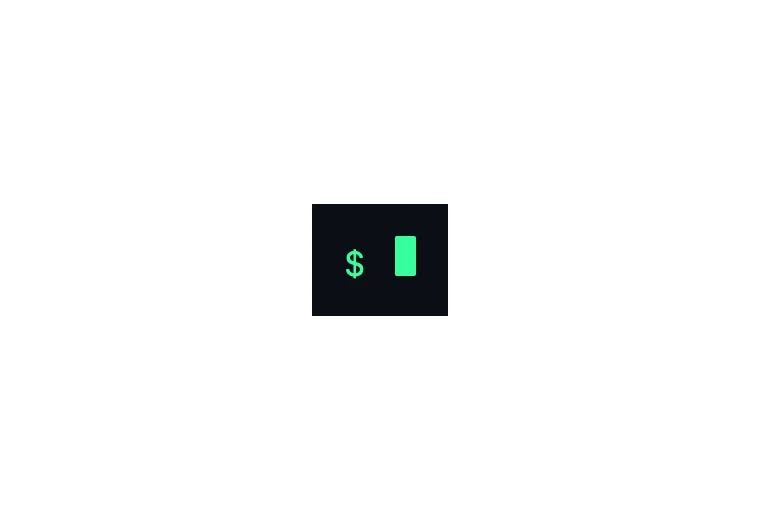
A console log that types itself out, line by line, behind a block caret.
Text Effects · SwiftUI · Flutter · iOS 17 · Flutter 3.27
- text
- terminal
- console
- typing
- monospace
- caret
- animation
The actual source
TerminalText.swift
// Terminal Text · syxUI · https://syxui.dev/components/terminal-text
// Free in any project. Keep this line and credit syxUI where a person can read it.

import SwiftUI

/// The caret shape drawn after the active line's visible text.
enum TerminalCaretStyle: Sendable {
    case block
    case bar
    case underscore
}

/// A console log that types itself out, line by line, behind a block caret.
///
/// The rendered *string* grows every frame, so this is a
/// `TimelineView(.animation)` component, never `withAnimation`. Lines type
/// sequentially; even-indexed lines are treated as commands and get the
/// prompt gutter, odd-indexed lines are their output and do not — matching
/// the shape of a real shell transcript. The caret holds solid while a line
/// is actively typing and only blinks once typing pauses, which is what
/// separates a terminal from a typewriter.
struct TerminalText: View {
    var lines: String = "npm i syxui\n✓ 0 dependencies\nswift build\n✓ Build complete"
    /// Milliseconds per character.
    var typeSpeed: Double = 22
    var prompt: String = "$ "
    var accent: Color = Color(red: 0.208, green: 1.0, blue: 0.620)
    var caretStyle: TerminalCaretStyle = .block
    var background: Color = Color(red: 0.043, green: 0.059, blue: 0.078)
    var fontSize: CGFloat = 17
    var textColor: Color = Color(white: 0.92)

    /// Preview override. When set, the console renders that point of the
    /// whole log typing out once instead of running its own clock.
    var progress: Double? = nil

    @Environment(\.accessibilityReduceMotion) private var reduceMotion
    @State private var startDate: Date? = nil

    private var lineList: [String] {
        lines.split(separator: "\n", omittingEmptySubsequences: false).map(String.init)
    }

    var body: some View {
        Group {
            if let progress {
                console(elapsedMs: progress * totalDurationMs)
            } else if reduceMotion {
                console(elapsedMs: totalDurationMs)
            } else {
                // No `paused:` here — unlike a one-shot reveal, a terminal
                // caret keeps blinking forever once typing finishes.
                TimelineView(.animation) { timeline in
                    let elapsed = startDate.map { timeline.date.timeIntervalSince($0) * 1000 } ?? 0
                    console(elapsedMs: elapsed)
                }
            }
        }
        .onAppear { if startDate == nil { startDate = Date() } }
        .padding(16)
        .background(background)
        // The finished log is what matters to VoiceOver, not every
        // intermediate keystroke.
        .accessibilityElement(children: .ignore)
        .accessibilityLabel(lineList.joined(separator: ". "))
    }

    private struct LineTiming {
        var start: Double
        var end: Double
        var isCommand: Bool
    }

    /// Start/end time for every line: a 240ms hold after each line, plus a
    /// 90ms beat before a fresh prompt appears.
    private var timings: [LineTiming] {
        var out: [LineTiming] = []
        var cursor = 0.0
        for (index, line) in lineList.enumerated() {
            let isCommand = index.isMultiple(of: 2)
            if index > 0 && isCommand { cursor += 90 }
            let end = cursor + Double(line.count) * typeSpeed
            out.append(LineTiming(start: cursor, end: end, isCommand: isCommand))
            cursor = end + 240
        }
        return out
    }

    private var totalDurationMs: Double { timings.last?.end ?? 0 }

    private func console(elapsedMs: Double) -> some View {
        let allTimings = timings
        let activeIndex = allTimings.lastIndex { $0.start <= elapsedMs } ?? 0
        let isTypingNow = elapsedMs < allTimings[activeIndex].end

        return VStack(alignment: .leading, spacing: 4) {
            ForEach(0...activeIndex, id: \.self) { index in
                lineView(
                    index: index, elapsedMs: elapsedMs,
                    isActive: index == activeIndex,
                    isTypingNow: index == activeIndex && isTypingNow
                )
            }
        }
        .font(.system(size: fontSize, design: .monospaced))
    }

    private func lineView(index: Int, elapsedMs: Double, isActive: Bool, isTypingNow: Bool) -> some View {
        let timing = timings[index]
        let full = lineList[index]
        let visibleCount = isActive
            ? min(full.count, max(0, Int((elapsedMs - timing.start) / max(typeSpeed, 1))))
            : full.count
        let visible = String(full.prefix(visibleCount))

        return HStack(alignment: .lastTextBaseline, spacing: 2) {
            if timing.isCommand {
                Text(prompt).foregroundStyle(accent)
            }
            Text(visible).foregroundStyle(textColor)
            if isActive {
                caret(solid: isTypingNow, elapsedMs: elapsedMs)
            }
        }
        // Dim everything except the line the eye should be on.
        .opacity(isActive ? 1.0 : 0.72)
    }

    private func caret(solid: Bool, elapsedMs: Double) -> some View {
        let blinkOn = Int(elapsedMs / 530).isMultiple(of: 2)
        let width = caretStyle == .bar ? fontSize * 0.08 : fontSize * 0.6
        let height = caretStyle == .underscore ? fontSize * 0.1 : fontSize * 1.15

        return RoundedRectangle(cornerRadius: 1)
            .fill(accent)
            .frame(width: width, height: height)
            .opacity(solid || blinkOn ? 1 : 0)
    }
}

#Preview {
    TerminalText()
        .padding(24)
}
iOS 17 · No dependencies
SwiftUI note. Even-indexed lines get the prompt gutter, odd-indexed lines are treated as their output — write `lines` in that alternating shape. The caret keeps blinking on real elapsed time after typing finishes, so its preview override is deliberately left uncapped past `progress: 1`.
Dependencies
- SwiftUI
- No external dependencies
- Flutter
- No external dependencies
Requires iOS 17
Requires Flutter 3.27