Difficulty Tags
From syxUI — written for both platforms, not translated between them.
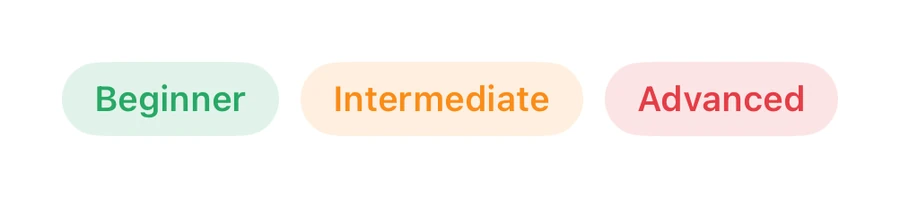
Skill-level tags.
Badges · SwiftUI · iOS 17
- badges
- swiftui
The actual source
DifficultyTags.swift
// Difficulty Tags · syxUI · https://syxui.dev/components/tag-difficulty
// Free in any project. Keep this line and credit syxUI where a person can read it.

import SwiftUI

let tgGreen = Color(red: 0.16, green: 0.66, blue: 0.40)
let tgOrange = Color(red: 0.98, green: 0.55, blue: 0.10)
let tgRed = Color(red: 0.90, green: 0.24, blue: 0.28)

func tagPill(_ text: String, _ color: Color) -> some View {
    Text(text).font(.system(size: 13, weight: .semibold)).foregroundStyle(color).padding(.horizontal, 12).padding(.vertical, 6).background(color.opacity(0.14), in: Capsule())
}

struct DifficultyTags: View { var body: some View { HStack(spacing: 8) { tagPill("Beginner", tgGreen); tagPill("Intermediate", tgOrange); tagPill("Advanced", tgRed) } } }
iOS 17 · No dependencies
Dependencies
- SwiftUI
- No external dependencies
Requires iOS 17